Built for end to end document workflows.
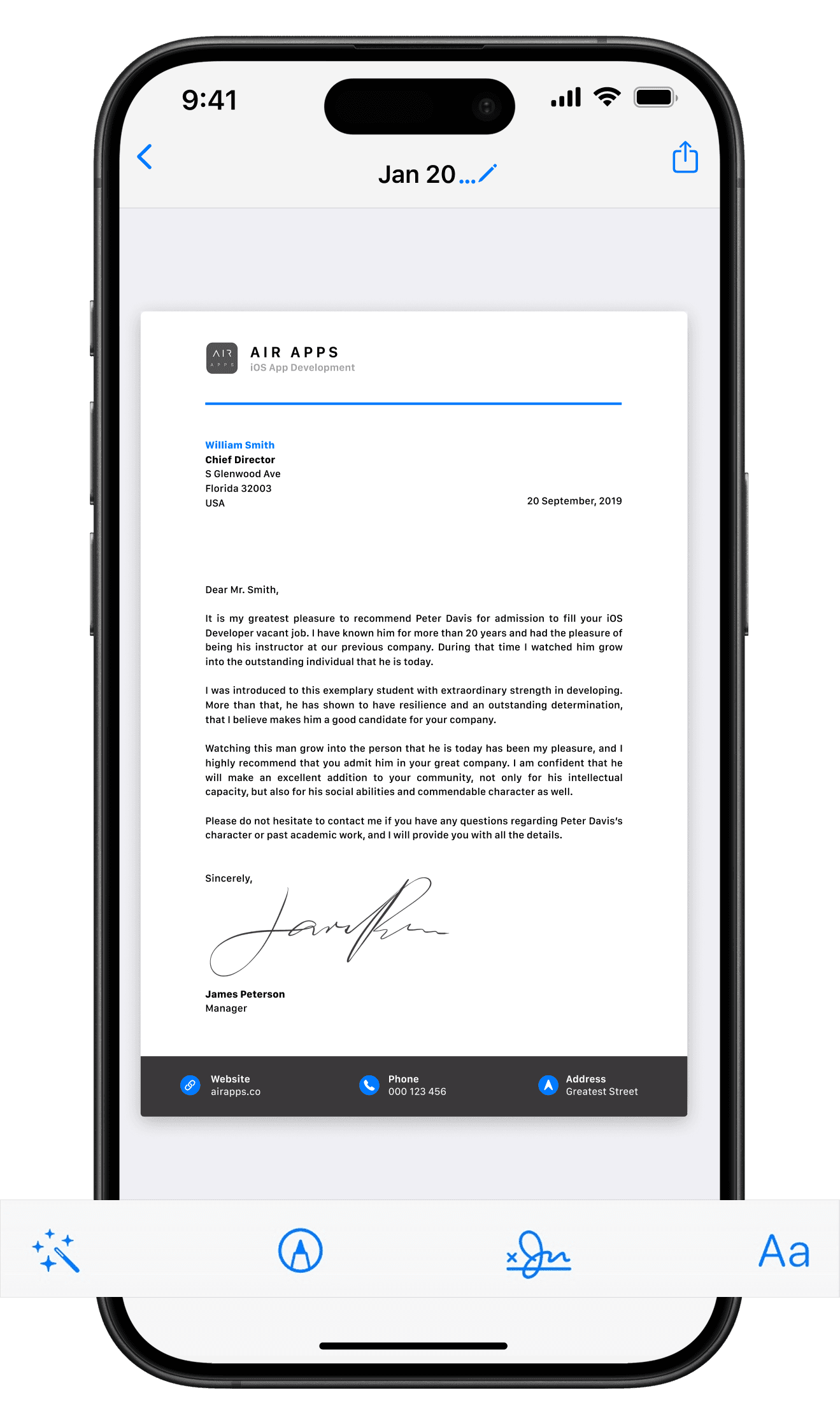
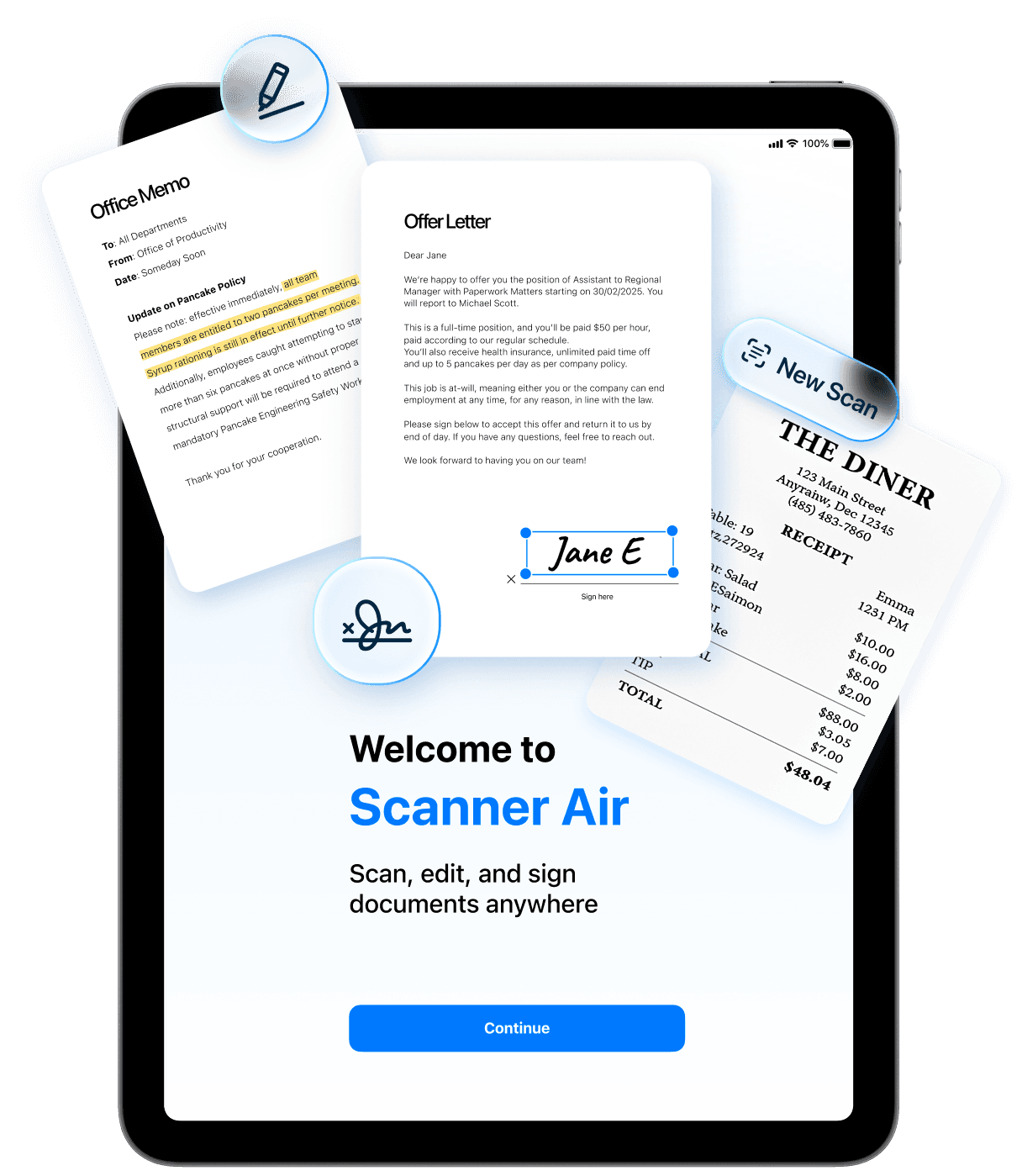
From scan to signed PDF in a single workflow. Scanner Air turns your iPhone into a complete document processing tool for capturing, editing, and managing files on the go.
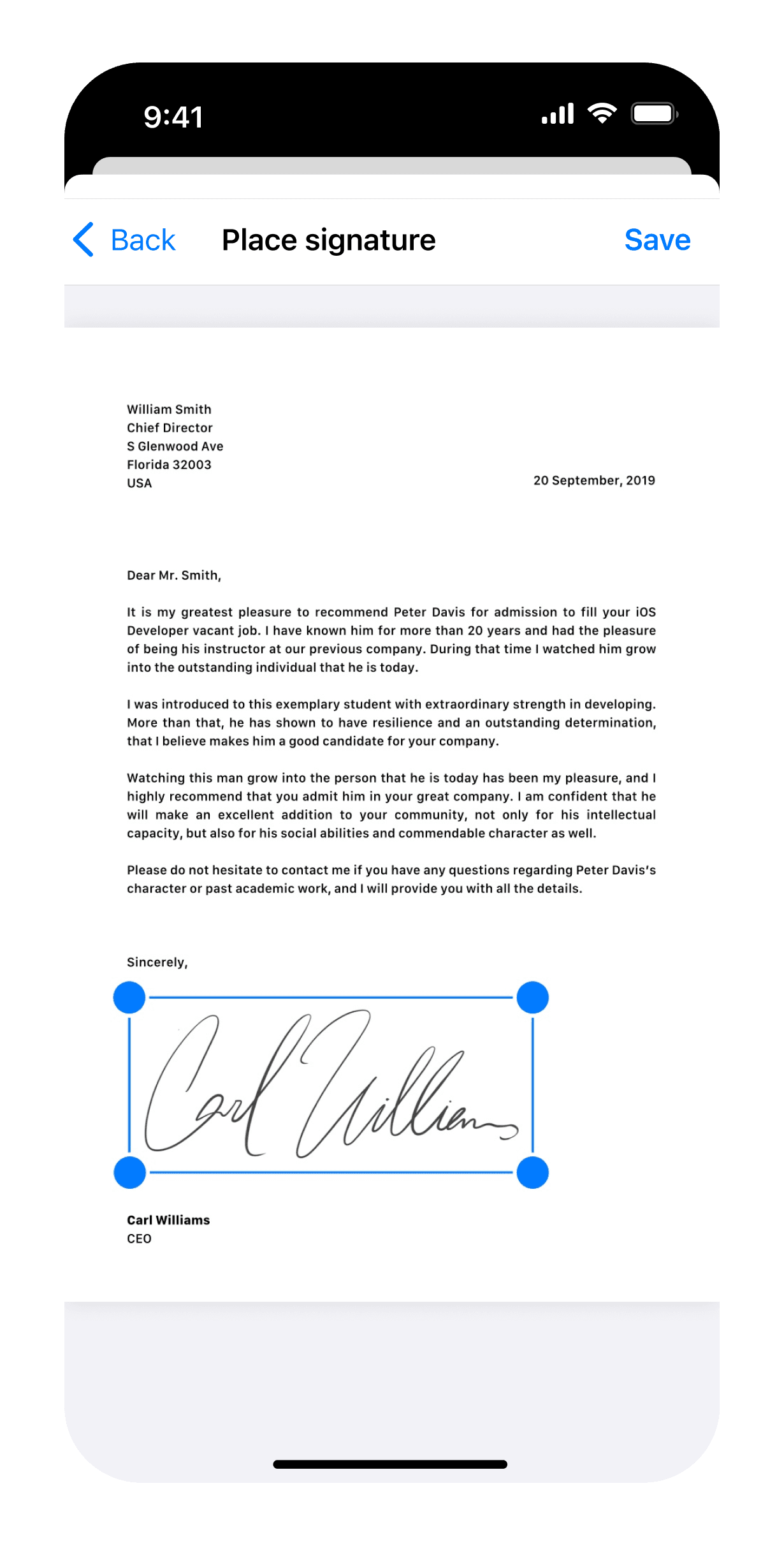
Scan, edit, sign, convert, and share documents easily.
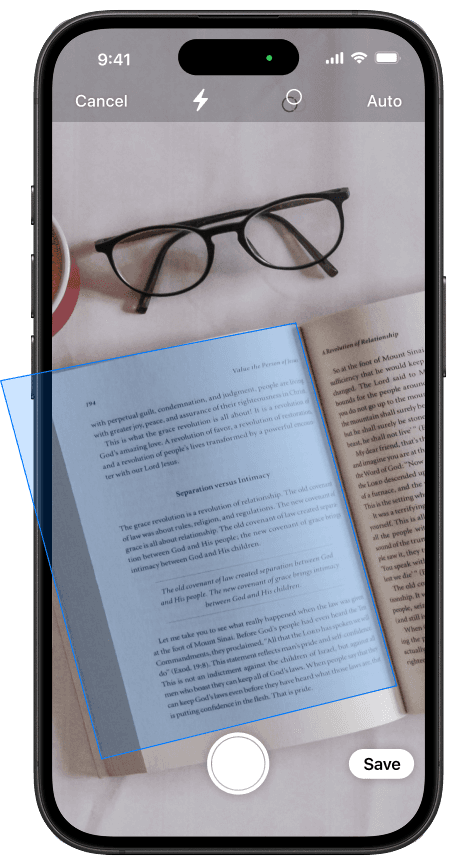
Capture receipts, contracts, IDs, notes, and forms, then convert them into quality PDFs or JPGs with OCR text extraction.
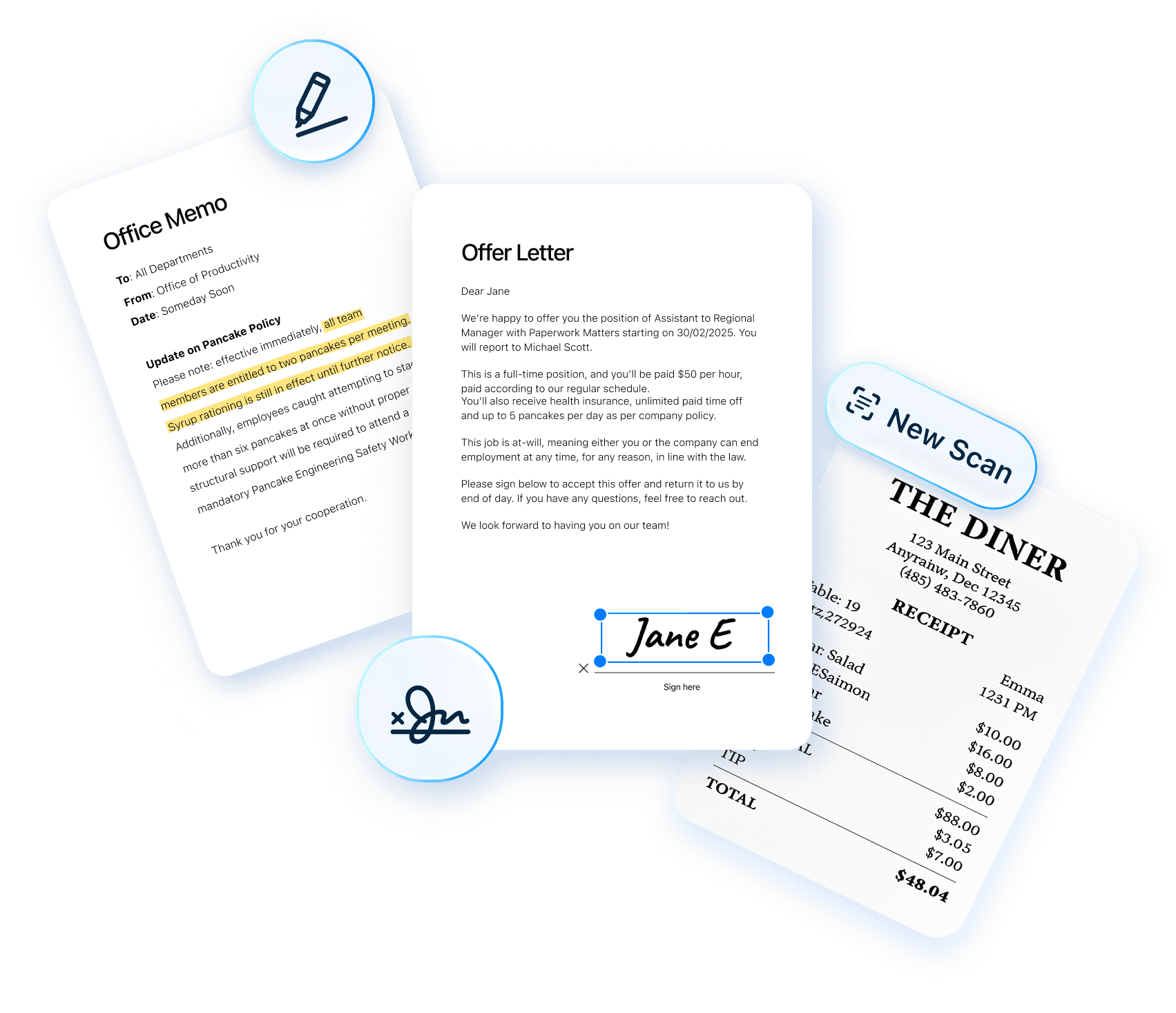
Built for speed, Scanner Air combines scanning, PDF editing, eSign, image-to-PDF conversion, and sharing in one workflow.
Built for end to end document workflows.
From scan to signed PDF in a single workflow. Scanner Air turns your iPhone into a complete document processing tool for capturing, editing, and managing files on the go.
Scan, edit, sign, convert, and share documents easily.
Capture receipts, contracts, IDs, notes, and forms, then convert them into high-quality PDFs or JPGs with OCR text extraction.
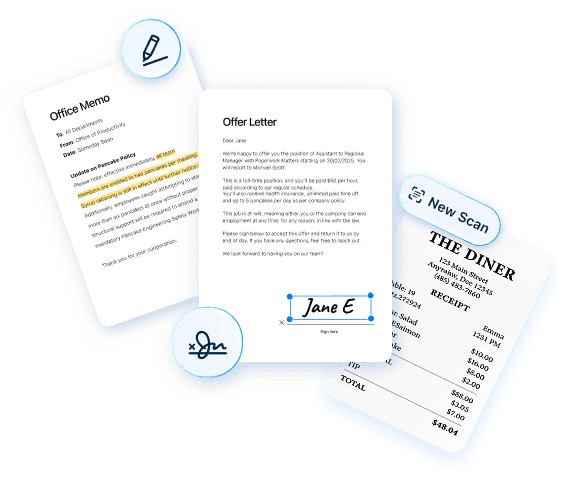
Built for speed, Scanner Air combines scanning, PDF editing, eSign, image-to-PDF conversion, and sharing in one workflow.
Built for end to end document workflows.
From scan to signed PDF in a single workflow. Scanner Air turns your iPhone into a complete document processing tool for capturing, editing, and managing files on the go.
Scan, edit, sign, convert, and share documents easily.
Capture receipts, contracts, IDs, notes, and forms, then convert them into high-quality PDFs or JPGs with OCR text extraction.
Built for speed, Scanner Air combines scanning, PDF editing, eSign, image-to-PDF conversion, and sharing in one workflow.
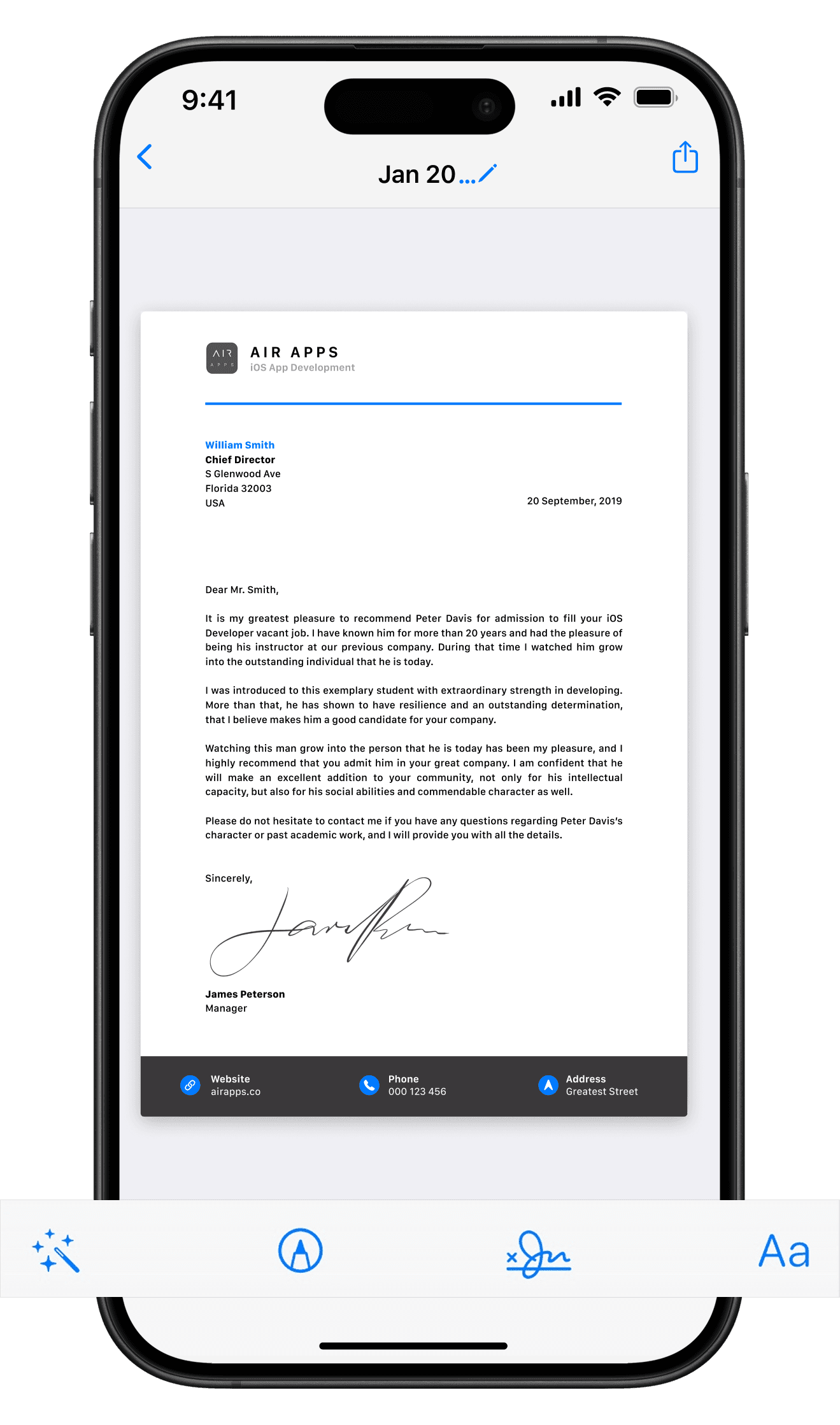
Powerful scanning and PDF tools in one app.
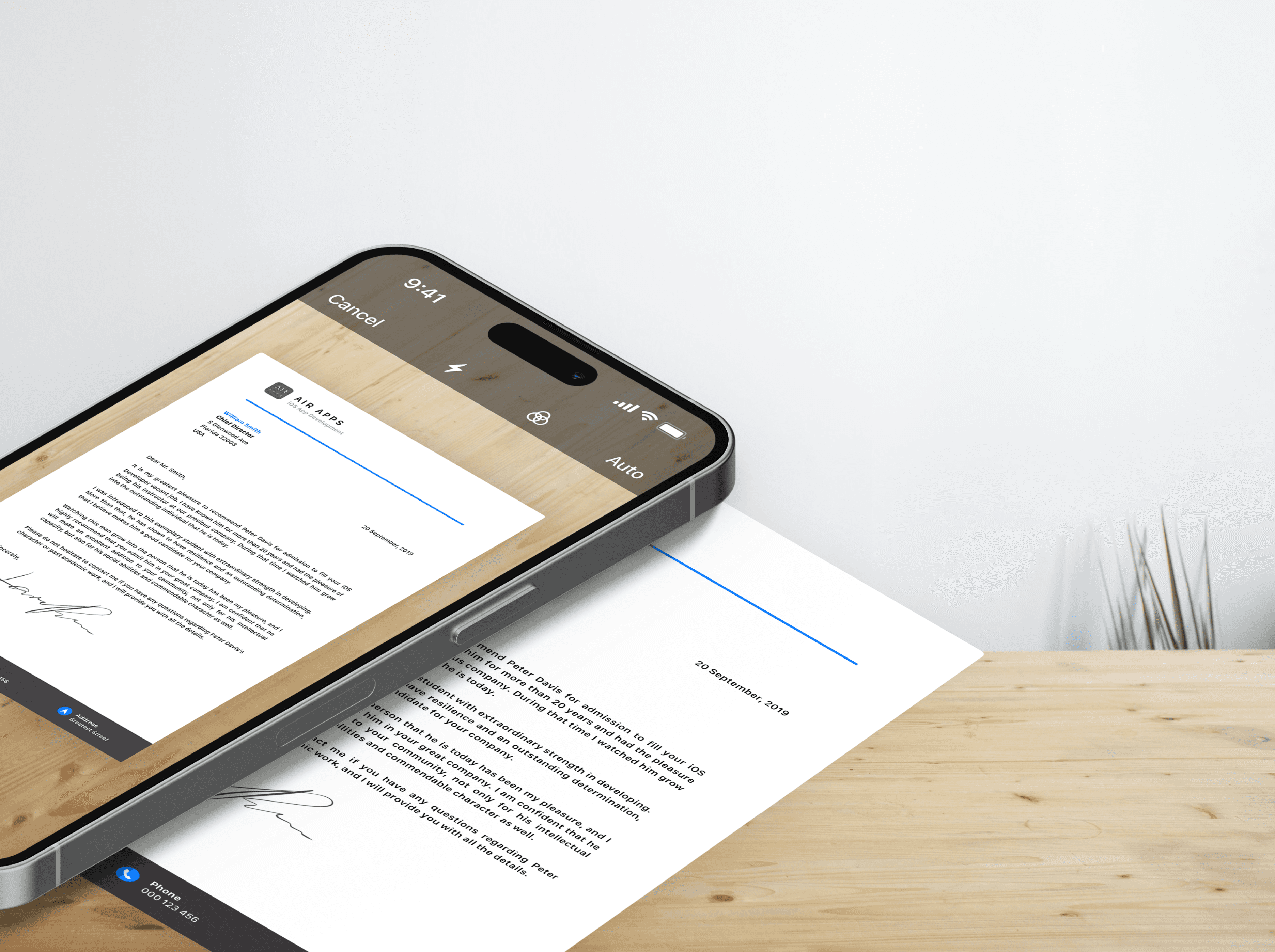
Scan PDFs fast
Scan PDF fast Scan documents with your iPhone camera and convert them into clear, high-resolution PDFs. Designed for receipts, IDs, contracts, and everyday document capture.
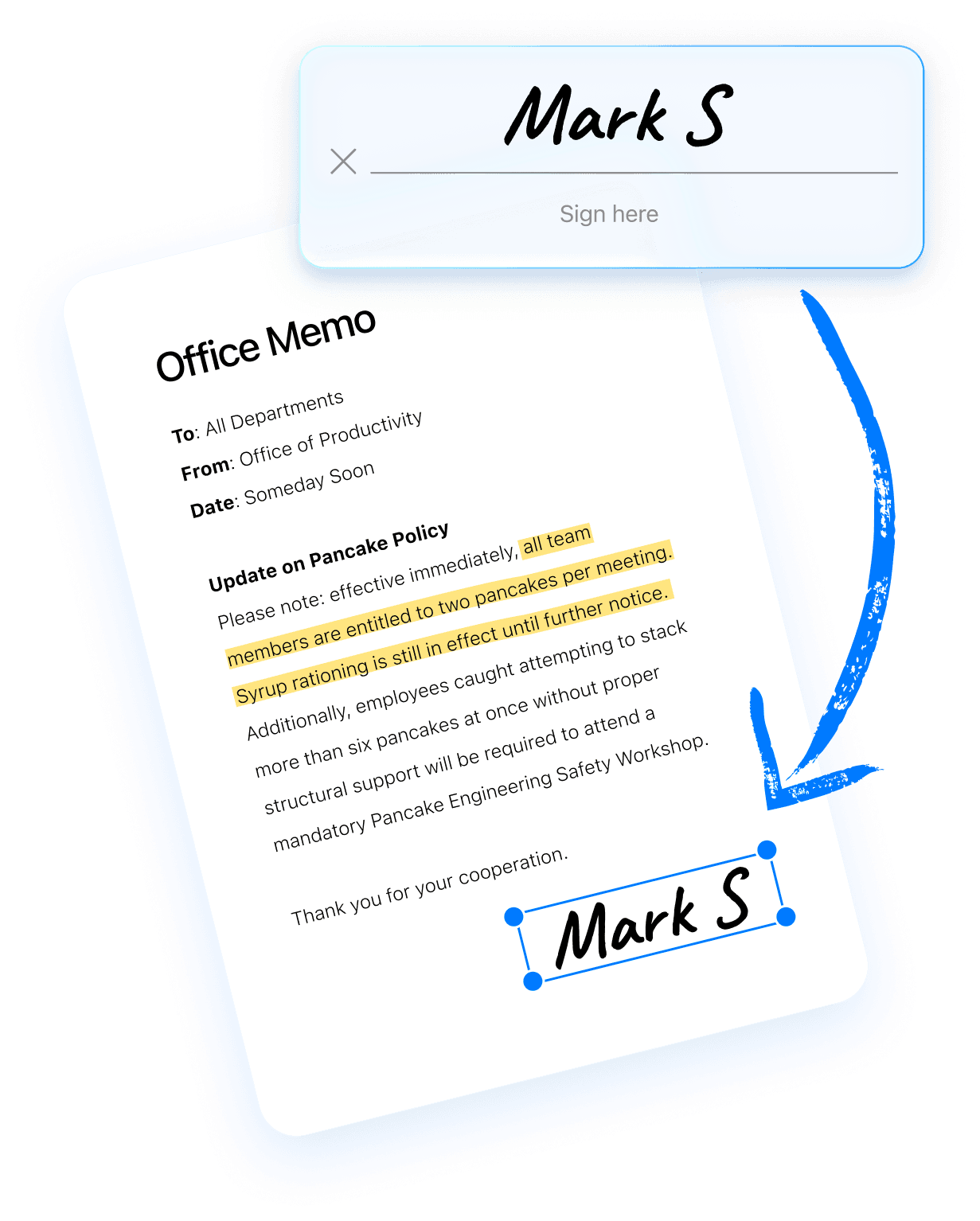
Edit PDF and eSign documents
Edit PDF files and add electronic signatures directly in the app. Review, sign, and finalize documents quickly without printing or switching between tools.
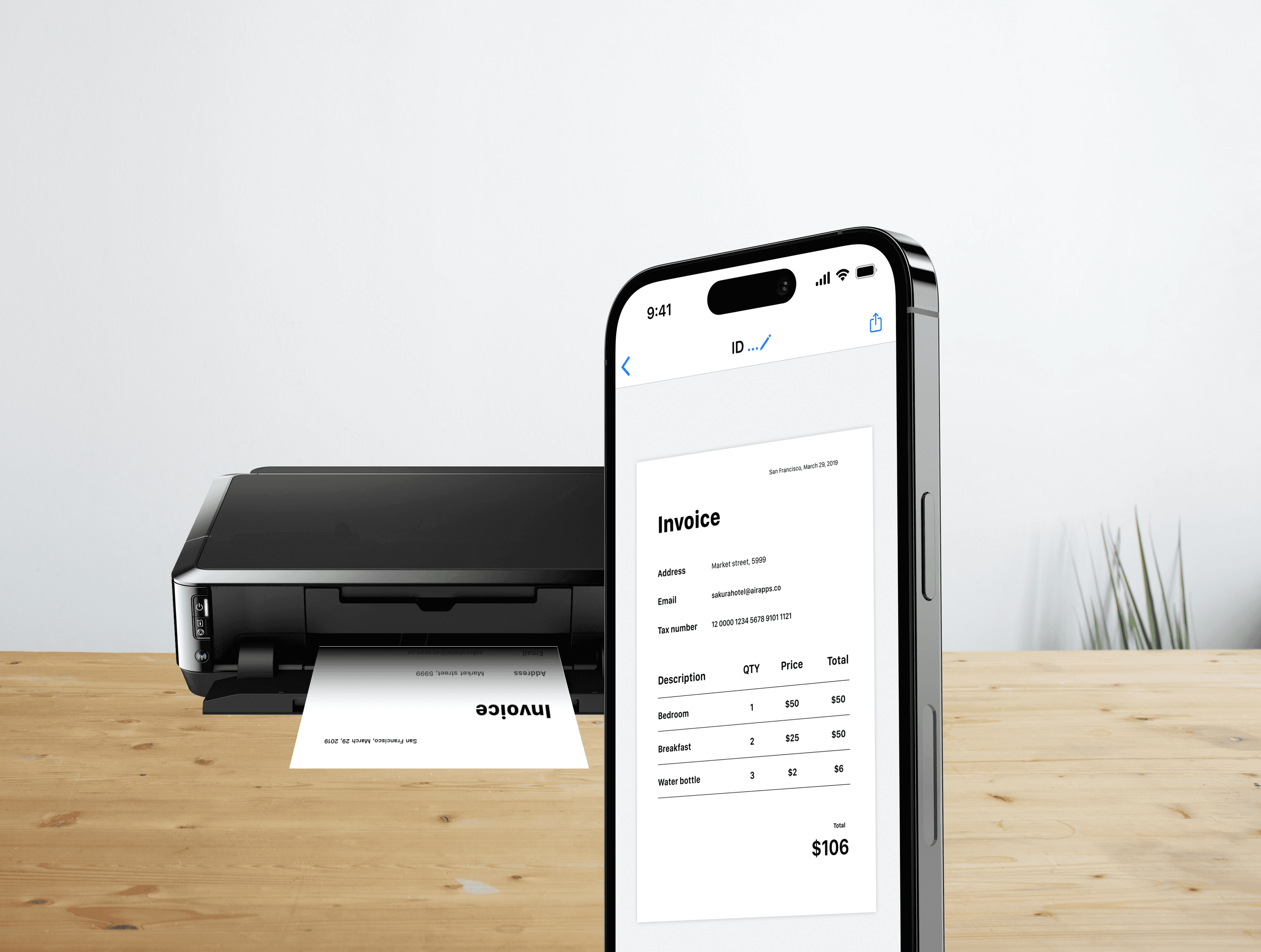
Print and share anywhere
Share PDF or JPG files via email, messaging, or cloud apps, or print directly from your iPhone. Send documents instantly without additional steps or tools.
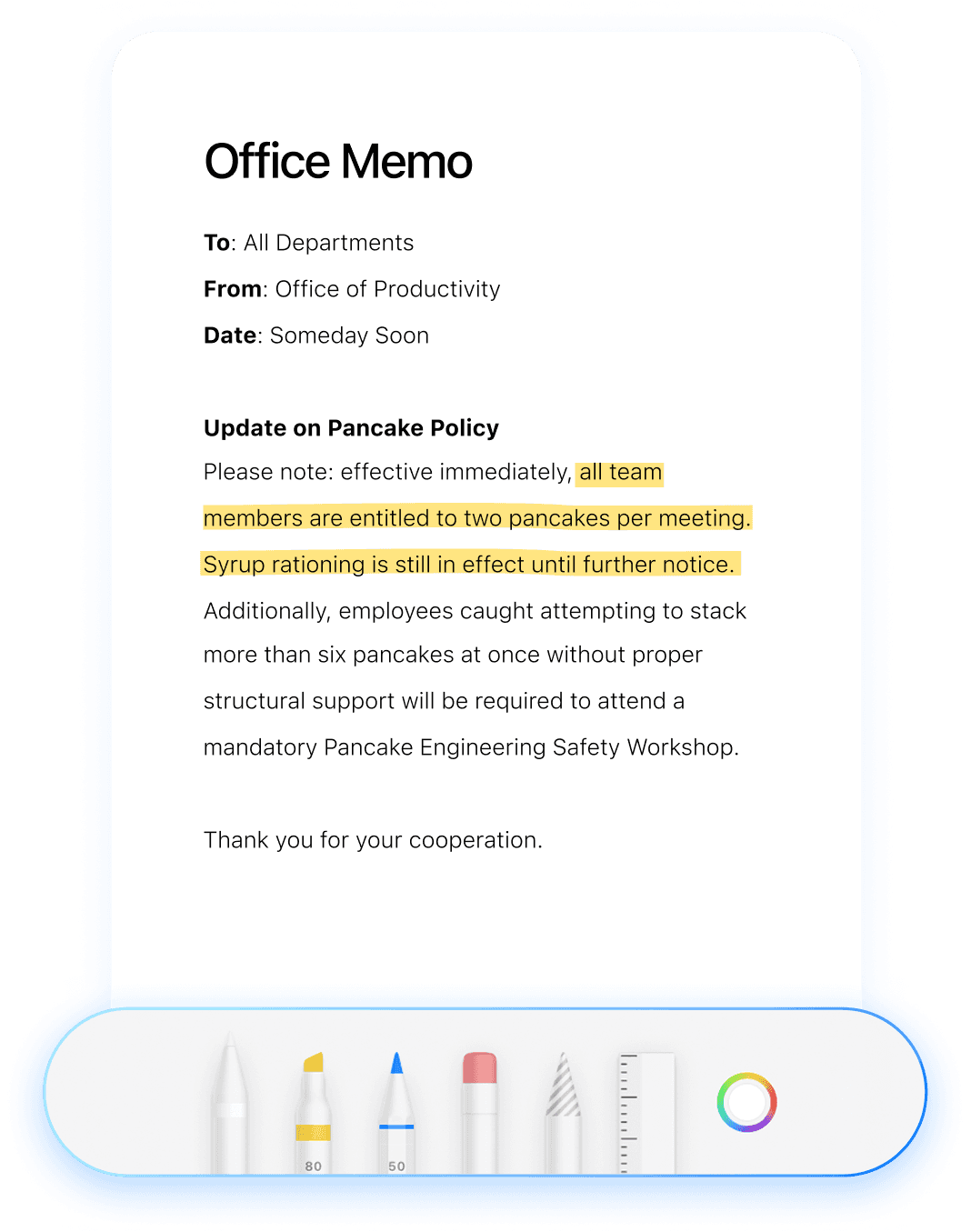
Annotate and highlight documents
Highlight text, add notes, and annotate scanned files to review or share updates. Mark important sections and keep documents clear and actionable.
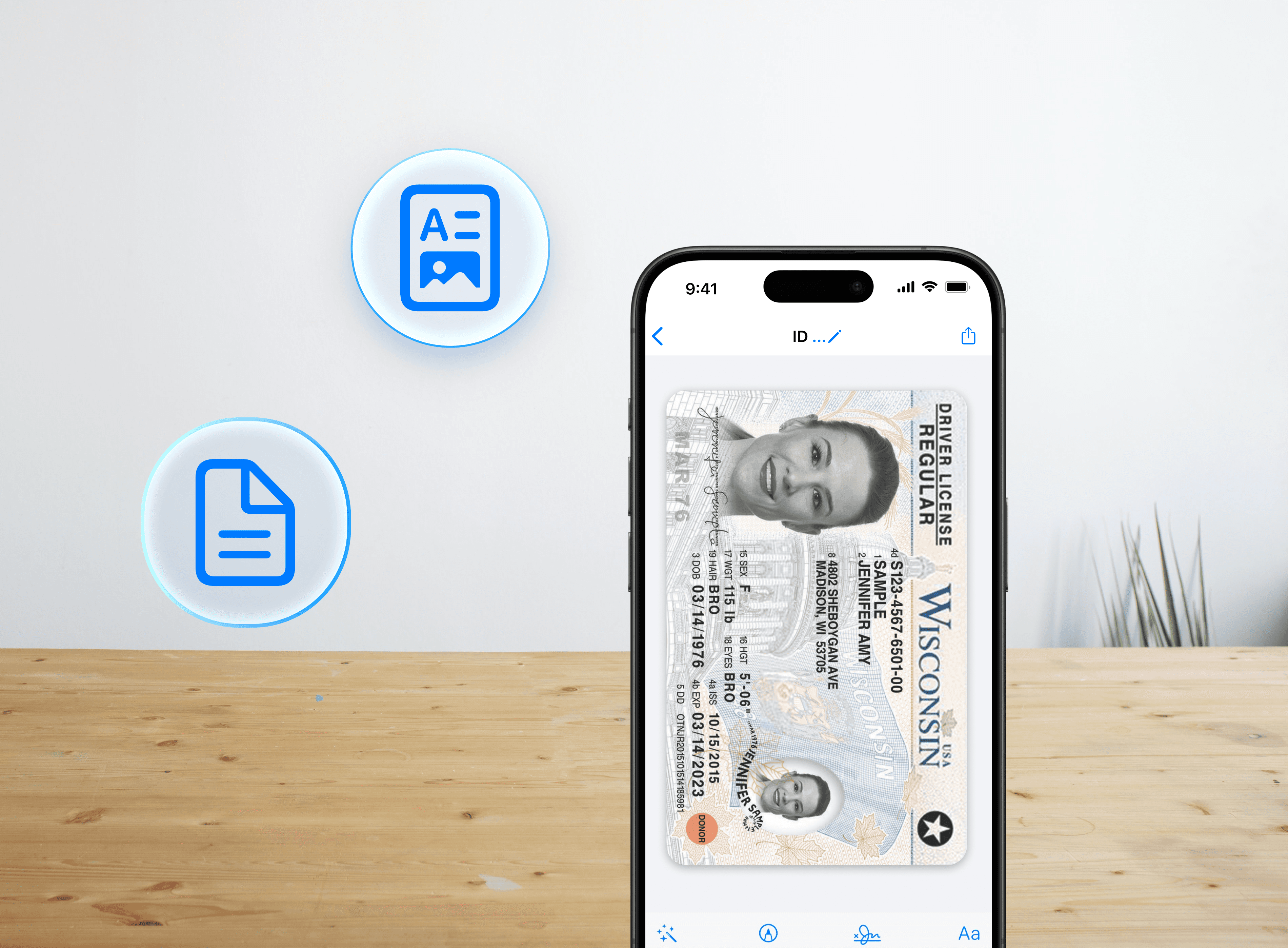
Convert between PDF and JPG
Convert files between PDF and JPG in seconds. Turn images into PDFs or export PDFs as JPG for flexible sharing, storage, and document compatibility.
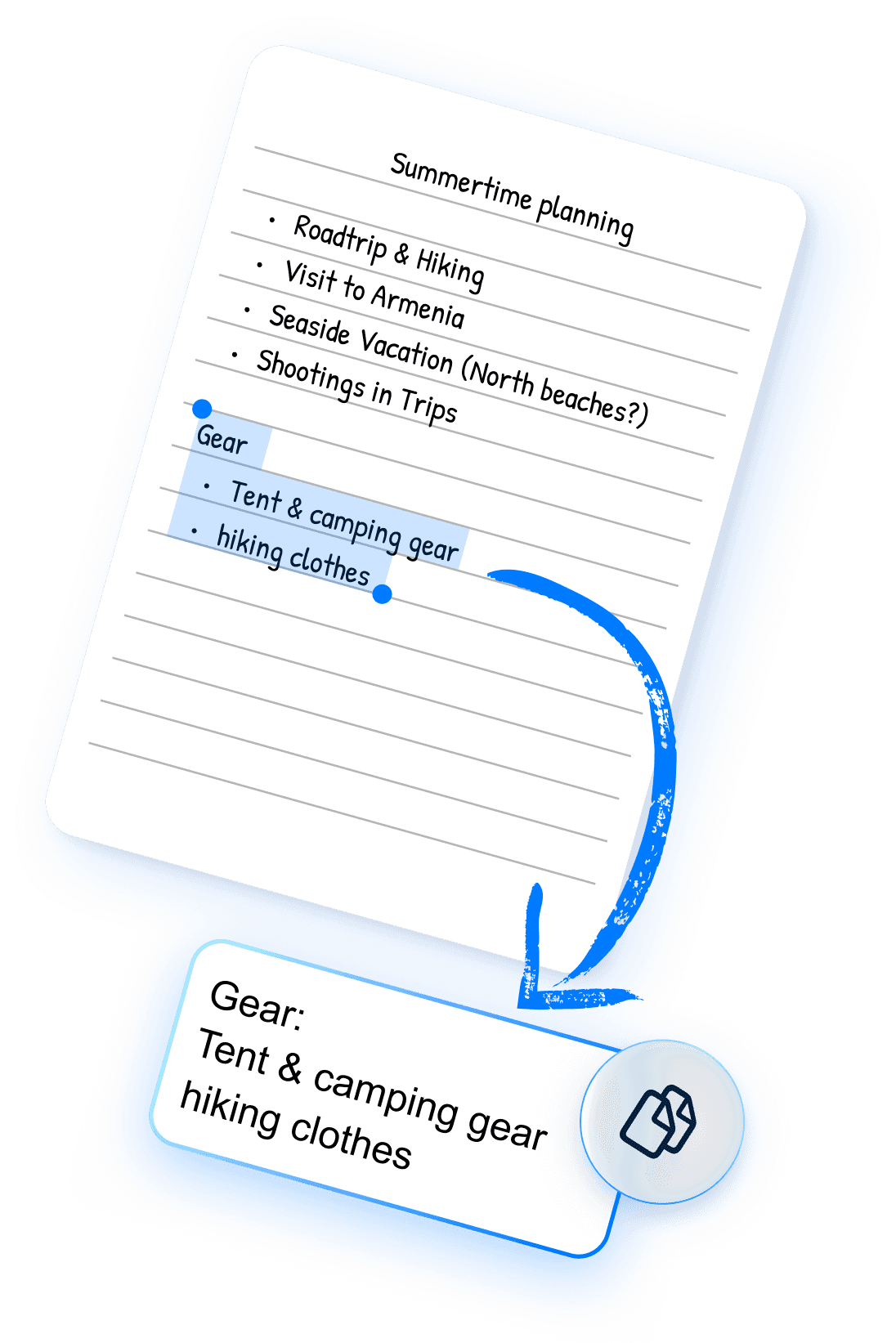
Extract text with advanced OCR
Use OCR to convert scanned documents into editable text. Extract content from receipts, notes, or printed files and reuse it instantly across apps.
Powerful scanning and PDF tools in one app.
Scan PDFs fast
Scan PDF fast Scan documents with your iPhone camera and convert them into clear, high-resolution PDFs. Designed for receipts, IDs, contracts, and everyday document capture.
Edit PDF and eSign documents
Edit PDF files and add electronic signatures directly in the app. Review, sign, and finalize documents quickly without printing or switching between tools.
Print and share anywhere
Share PDF or JPG files via email, messaging, or cloud apps, or print directly from your iPhone. Send documents instantly without additional steps or tools.
Annotate and highlight documents
Highlight text, add notes, and annotate scanned files to review or share updates. Mark important sections and keep documents clear and actionable.
Convert between PDF and JPG
Convert files between PDF and JPG in seconds. Turn images into PDFs or export PDFs as JPG for flexible sharing, storage, and document compatibility.
Extract text with advanced OCR
Use OCR to convert scanned documents into editable text. Extract content from receipts, notes, or printed files and reuse it instantly across apps.
Powerful scanning and PDF tools in one app.
Scan PDFs fast
Scan PDF fast Scan documents with your iPhone camera and convert them into clear, high-resolution PDFs. Designed for receipts, IDs, contracts, and everyday document capture.
Edit PDF and eSign documents
Edit PDF files and add electronic signatures directly in the app. Review, sign, and finalize documents quickly without printing or switching between tools.
Print and share anywhere
Share PDF or JPG files via email, messaging, or cloud apps, or print directly from your iPhone. Send documents instantly without additional steps or tools.
Annotate and highlight documents
Highlight text, add notes, and annotate scanned files to review or share updates. Mark important sections and keep documents clear and actionable.
Convert between PDF and JPG
Convert files between PDF and JPG in seconds. Turn images into PDFs or export PDFs as JPG for flexible sharing, storage, and document compatibility.
Extract text with advanced OCR
Use OCR to convert scanned documents into editable text. Extract content from receipts, notes, or printed files and reuse it instantly across apps.
Powerful scanning and PDF tools in one app.
Scan PDFs fast
Scan PDF fast Scan documents with your iPhone camera and convert them into clear, high-resolution PDFs. Designed for receipts, IDs, contracts, and everyday document capture.
Edit PDF and eSign documents
Edit PDF files and add electronic signatures directly in the app. Review, sign, and finalize documents quickly without printing or switching between tools.
Print and share anywhere
Share PDF or JPG files via email, messaging, or cloud apps, or print directly from your iPhone. Send documents instantly without additional steps or tools.
Annotate and highlight documents
Highlight text, add notes, and annotate scanned files to review or share updates. Mark important sections and keep documents clear and actionable.
Convert between PDF and JPG
Convert files between PDF and JPG in seconds. Turn images into PDFs or export PDFs as JPG for flexible sharing, storage, and document compatibility.
Extract text with advanced OCR
Use OCR to convert scanned documents into editable text. Extract content from receipts, notes, or printed files and reuse it instantly across apps.
How to Scan and manage documents in minutes.
Download and open Scanner Air
Scan your document
Edit, sign, or extract text
Save, convert, and share
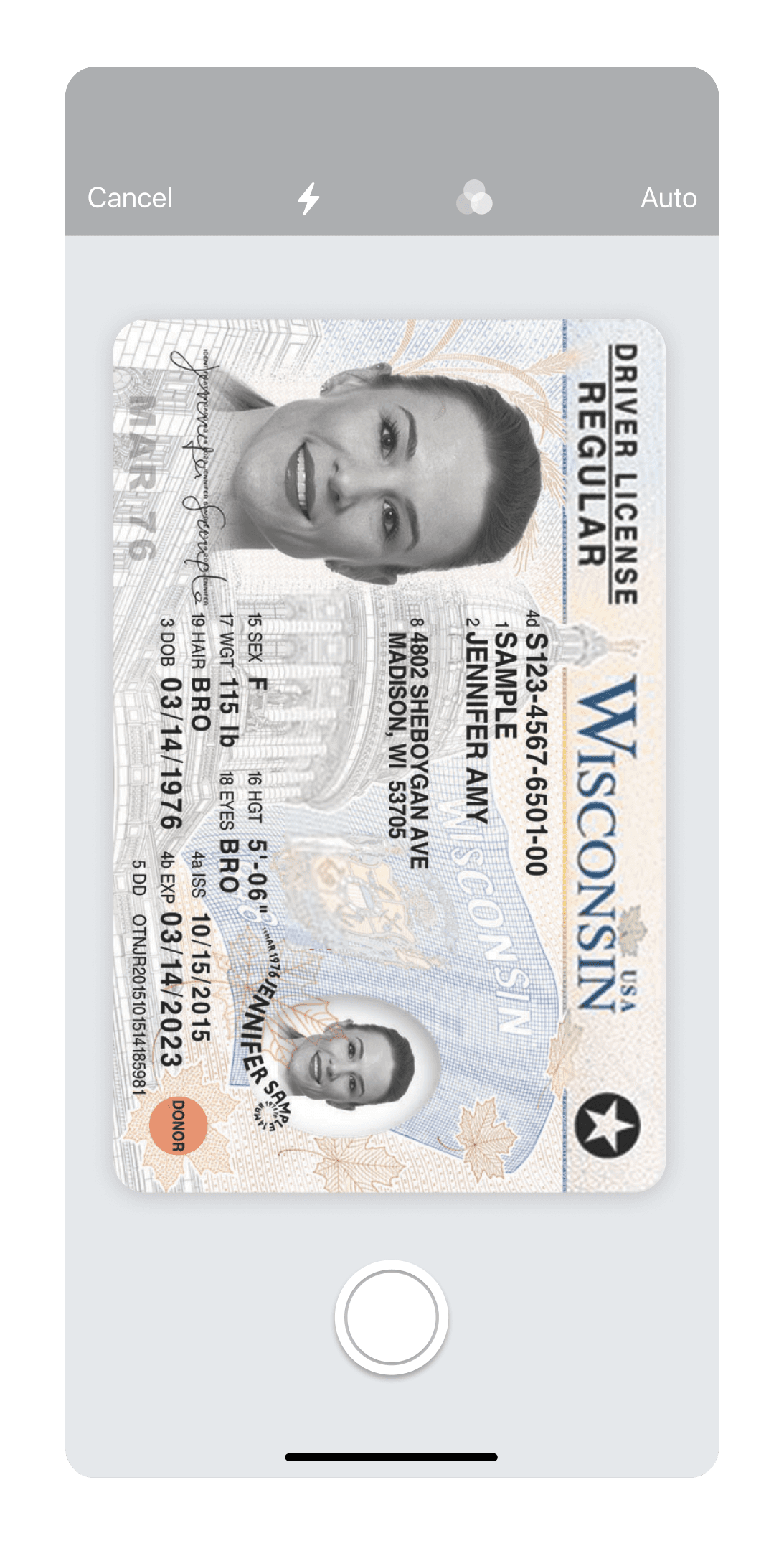


How to Scan and manage documents in minutes.
Download and open Scanner Air
Scan your document
Edit, sign, or extract text
Save, convert, and share
How to Scan and manage documents in minutes.
Download and open Scanner Air. Install from the App Store and open the app to start scanning instantly.
Scan your document
Edit, sign, or extract text
Save, convert, and share
Made for work, school, and everyday life.
Submit expense receipts while traveling

Sign and return contracts on the go

Upload documents for job or visa applications

Extract details from invoices or bills

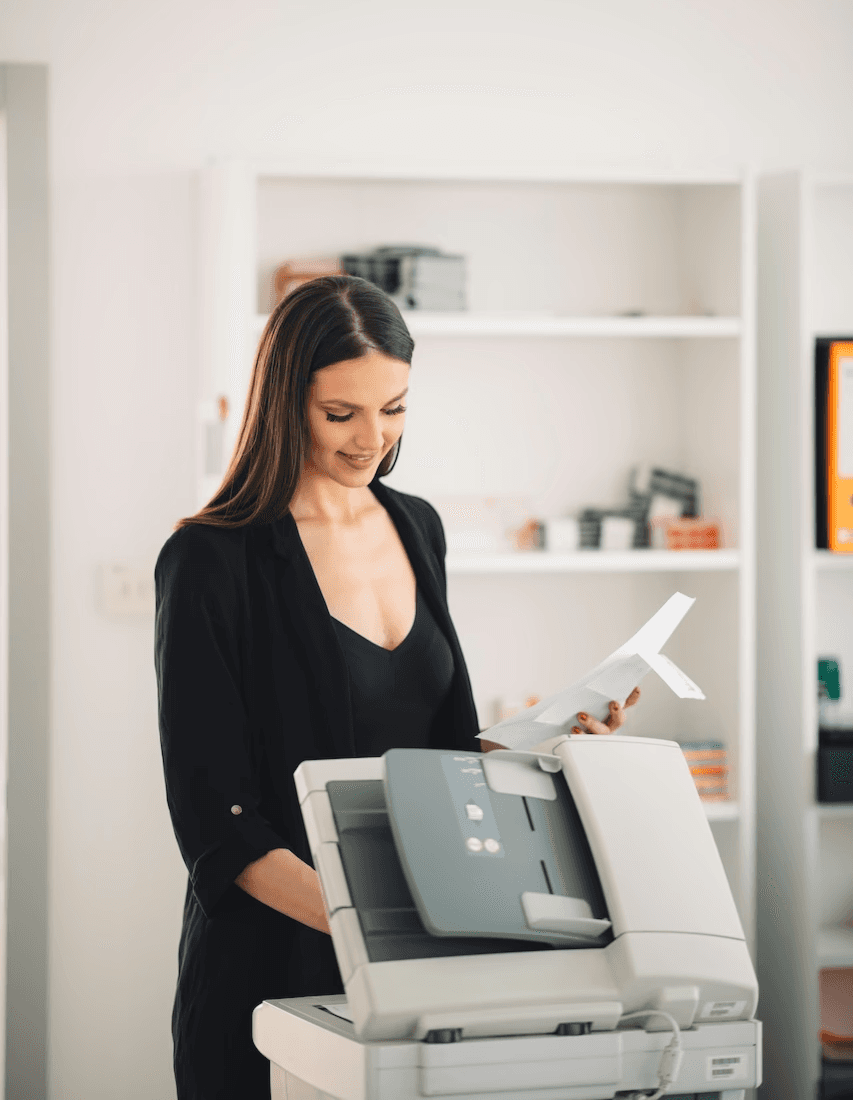
Keep digital copies of ID and licenses

Send documents through email or messaging apps

Print forms when a hard copy is required
Organize study notes and handwritten pages

Made for work, school, and everyday life.
Submit expense receipts while traveling
Scan taxi, meal, or hotel receipts during trips and save as PDFs for expense reports. Avoid losing bills and submit reimbursements faster.
Sign and return contracts on the go
Open a contract from email, add your eSignature, and send it back instantly. No need to print, scan again, or delay approvals.
Upload documents for job or visa applications
Convert photos of documents into PDFs for job forms or visa applications. Ensure files meet upload requirements in seconds.
Extract details from invoices or bills
Use OCR to pull names, amounts, or dates from invoices and bills. Copy important details without retyping or switching apps.
Keep digital copies of ID and licenses
Scan your ID, driver’s license, or passport before travel. Store clear copies on your phone for quick access when needed.
Send documents through email or messaging apps
Scan a document and share it via email, WhatsApp, or Slack instantly. No need to move files between apps or devices.
Print forms when a hard copy is required
Scan and print filled forms, agreements, or documents directly from your phone. Useful for offices, banks, or official paperwork.
Organize study notes and handwritten pages
Scan handwritten notes or printed materials and save them as PDFs. Keep study files organized and easy to access anytime.
Made for work, school, and everyday life.
Submit expense receipts while traveling
Sign and return contracts on the go
Upload documents for job or visa applications
Extract details from invoices or bills
Keep digital copies of ID and licenses
Send documents through email or messaging apps
Print forms when a hard copy is required
Organize study notes and handwritten pages
Made for work, school, and everyday life.
Submit expense receipts while traveling
Scan taxi, meal, or hotel receipts during trips and save as PDFs for expense reports. Avoid losing bills and submit reimbursements faster.
Sign and return contracts on the go
Open a contract from email, add your eSignature, and send it back instantly. No need to print, scan again, or delay approvals.
Upload documents for job or visa applications
Convert photos of documents into PDFs for job forms or visa applications. Ensure files meet upload requirements in seconds.
Extract details from invoices or bills
Use OCR to pull names, amounts, or dates from invoices and bills. Copy important details without retyping or switching apps.
Keep digital copies of ID and licenses
Scan your ID, driver’s license, or passport before travel. Store clear copies on your phone for quick access when needed.
Send documents through email or messaging apps
Scan a document and share it via email, WhatsApp, or Slack instantly. No need to move files between apps or devices.
Print forms when a hard copy is required
Scan and print filled forms, agreements, or documents directly from your phone. Useful for offices, banks, or official paperwork.
Organize study notes and handwritten pages
Scan handwritten notes or printed materials and save them as PDFs. Keep study files organized and easy to access anytime.
What makes Scanner Air different?
Complete document workflow
Scan, edit, sign, and convert files
Fast capture to export with fewer steps
Flexible PDF and JPG file handling
Built for daily document needs
Optimized for scanning with iPhone
What makes Scanner Air different?
Complete document workflow
Scan, edit, sign, and convert files
Fast capture to export with fewer steps
Flexible PDF and JPG file handling
Built for daily document needs
Optimized for scanning with iPhone
What makes Scanner Air different?
Complete document workflow
Scan, edit, sign, and convert files
Fast capture to export with fewer steps
Flexible PDF and JPG file handling
Built for daily document needs
Optimized for scanning with iPhone
What makes Scanner Air different?
Complete document workflow
Fast capture to export with fewer steps
Built for daily document needs
Scan, edit, sign, and convert files
Flexible PDF and JPG file handling
Optimized for scanning with iPhone
What users say about Scanner Air.

Perfect for schoolwork.
Scan notes and assignments quickly. Useful for daily classes.
– Erik.rky
Helpful for work.
Makes scanning and sharing documents at work really simple.
– Martin11997722
Saved me during taxes.
Scanning documents was fast and stress-free when I needed it most.
– Washington County
Better than photos.
Auto-crops documents and keeps everything organized.
– k31b
Fast scanning.
Perfect for scanning on the go without hassle.
– Mausi123321
Scans accurately.
Captures documents clearly and precisely every time.
– Muntyr
What users say about Scanner Air.
Perfect for schoolwork.
Scan notes and assignments quickly. Useful for daily classes.
– Erik.rky
Helpful for work.
Makes scanning and sharing documents at work really simple.
– Martin11997722
Saved me during taxes.
Scanning documents was fast and stress-free when I needed it most.
– Washington County
Better than photos.
Auto-crops documents and keeps everything organized.
– k31b
Fast scanning.
Perfect for scanning on the go without hassle.
– Mausi123321
Scans accurately.
Captures documents clearly and precisely every time.
– Muntyr
What users say about Scanner Air.
Perfect for schoolwork.
Scan notes and assignments quickly. Useful for daily classes.
– Erik.rky
Helpful for work.
Makes scanning and sharing documents at work really simple.
– Martin11997722
Saved me during taxes.
Scanning documents was fast and stress-free when I needed it most.
– Washington County
Better than photos.
Auto-crops documents and keeps everything organized.
– k31b
Fast scanning.
Perfect for scanning on the go without hassle.
– Mausi123321
Scans accurately.
Captures documents clearly and precisely every time.
– Muntyr
What users say about Scanner Air.
Perfect for schoolwork.
Scan notes and assignments quickly. Useful for daily classes.
– Erik.rky
Helpful for work.
Makes scanning and sharing documents at work really simple.
– Martin11997722
Saved me during taxes.
Scanning documents was fast and stress-free when I needed it most.
– Washington County
Better than photos.
Auto-crops documents and keeps everything organized.
– k31b
Fast scanning.
Perfect for scanning on the go without hassle.
– Mausi123321
Scans accurately.
Captures documents clearly and precisely every time.
– Muntyr
Flexible pricing & plans.
Air Apps One
For individuals who want powerful tools for everyday productivity
$19.99
/Month
What's included
38+ integrated apps
Smart AI assistance
Built for productivity
Cost-effective plan
Cross-device sync
Air Apps Pro
For individuals who need advanced power, speed, and AI capabilities
$199.99
/Month
What's included
Advanced AI models
Higher usage limits
Expanded storage space
Faster performance
Premium app access
Flexible pricing & plans.
Air Apps One
For individuals who want powerful tools for everyday productivity
$19.99
/Month
38+ integrated apps
Smart AI assistance
Built for productivity
Cost-effective plan
Cross-device sync
What's included
Air Apps Pro
For individuals who need advanced power, speed, and AI capabilities
$199.99
/Month
Advanced AI models
Higher usage limits
Expanded storage space
Faster performance
Premium app access
What's included
Flexible pricing & plans.
Air Apps One
For individuals who want powerful tools for everyday productivity
$19.99
/Month
What's included
38+ integrated apps
Smart AI assistance
Built for productivity
Cost-effective plan
Cross-device sync
Air Apps Pro
For individuals who need advanced power, speed, and AI capabilities
$199.99
/Month
What's included
Advanced AI models
Higher usage limits
Expanded storage space
Faster performance
Premium app access
Flexible pricing & plans.
Air Apps One
For individuals who want powerful tools for everyday productivity
$19.99
/Month
38+ integrated apps
Smart AI assistance
Built for productivity
Cost-effective plan
Cross-device sync
What's included
Air Apps Pro
For individuals who need advanced power, speed, and AI capabilities
$199.99
/Month
Advanced AI models
Higher usage limits
Expanded storage space
Faster performance
Premium app access
What's included
Frequently asked questions.
What is Scanner Air used for?
Scanner Air is a document scanner app that lets you scan, edit PDF files, convert JPG to PDF, extract text with OCR, and share or print documents.
How do I scan documents on my iPhone/iPad?
How do I scan a document and save it as a PDF?
How do I convert JPG to PDF on iPhone?
How do I convert PDF to JPG?
How do I save a photo as a PDF on iPhone/iPad?
Can I edit a scanned PDF on my iPhone/iPad?
How do I eSign a PDF on iPhone/iPad?
Is an electronic signature (eSign) legally valid?
How do I extract text from a scanned document?
Can I combine multiple pages into one PDF?
How do I save a photo as a PDF on iPhone/iPad?
Can I print documents from my iPhone/iPad?
What types of documents can I scan?
Is Scanner Air free to download?
Frequently asked questions.
What is Scanner Air used for?
Scanner Air is a document scanner app that lets you scan, edit PDF files, convert JPG to PDF, extract text with OCR, and share or print documents.
How do I scan documents on my iPhone/iPad?
How do I scan a document and save it as a PDF?
How do I convert JPG to PDF on iPhone?
How do I convert PDF to JPG?
How do I save a photo as a PDF on iPhone/iPad?
Can I edit a scanned PDF on my iPhone/iPad?
How do I eSign a PDF on iPhone/iPad?
Is an electronic signature (eSign) legally valid?
How do I extract text from a scanned document?
Can I combine multiple pages into one PDF?
How do I save a photo as a PDF on iPhone/iPad?
Can I print documents from my iPhone/iPad?
What types of documents can I scan?
Is Scanner Air free to download?
Frequently asked questions.
What is Scanner Air used for?
Scanner Air is a document scanner app that lets you scan, edit PDF files, convert JPG to PDF, extract text with OCR, and share or print documents.
How do I scan documents on my iPhone/iPad?
How do I scan a document and save it as a PDF?
How do I convert JPG to PDF on iPhone?
How do I convert PDF to JPG?
How do I save a photo as a PDF on iPhone/iPad?
Can I edit a scanned PDF on my iPhone/iPad?
How do I eSign a PDF on iPhone/iPad?
Is an electronic signature (eSign) legally valid?
How do I extract text from a scanned document?
Can I combine multiple pages into one PDF?
How do I save a photo as a PDF on iPhone/iPad?
Can I print documents from my iPhone/iPad?
What types of documents can I scan?
Is Scanner Air free to download?
Frequently asked questions.
What is Scanner Air used for?
Scanner Air is a document scanner app that lets you scan, edit PDF files, convert JPG to PDF, extract text with OCR, and share or print documents.
How do I scan documents on my iPhone/iPad?
How do I scan a document and save it as a PDF?
How do I convert JPG to PDF on iPhone?
How do I convert PDF to JPG?
How do I save a photo as a PDF on iPhone/iPad?
Can I edit a scanned PDF on my iPhone/iPad?
How do I eSign a PDF on iPhone/iPad?
Is an electronic signature (eSign) legally valid?
How do I extract text from a scanned document?
Can I combine multiple pages into one PDF?
How do I save a photo as a PDF on iPhone/iPad?
Can I print documents from my iPhone/iPad?
What types of documents can I scan?
Is Scanner Air free to download?
More from Air Apps.





More from Air Apps.
More from Air Apps.




Air Apps is trusted by millions.

114M+
Downloads
4.7
Average Rating
2.5M+
Ratings & Reviews
Start free today.
Air Apps is trusted by millions.
114M+
Downloads
4.7
Average Rating
2.5M+
Ratings & Reviews
Start free today.
Air Apps is trusted by millions.
114M+
Downloads
4.7
Average Rating
2.5M+
Ratings & Reviews
Start free today.
Air Apps is trusted by millions.
114M+
Downloads
4.7
Average Rating
2.5M+
Ratings & Reviews
Start free today.
Scan and manage documents in one place.
Scanner Air
23,000+ App Store ratings |
4.8
Scan documents, edit and sign PDFs, convert JPG to PDF, extract text with OCR, and share or print from your iPhone/iPad. Scanner Air is an easy to use document scanner app built for everyday productivity.
Built for end to end document workflows.
From scan to signed PDF in a single workflow. Scanner Air turns your iPhone into a complete document processing tool for capturing, editing, and managing files on the go.
Scan, edit, sign, convert, and share documents easily.
Capture receipts, contracts, IDs, notes, and forms, then convert them into high-quality PDFs or JPGs with OCR text extraction.
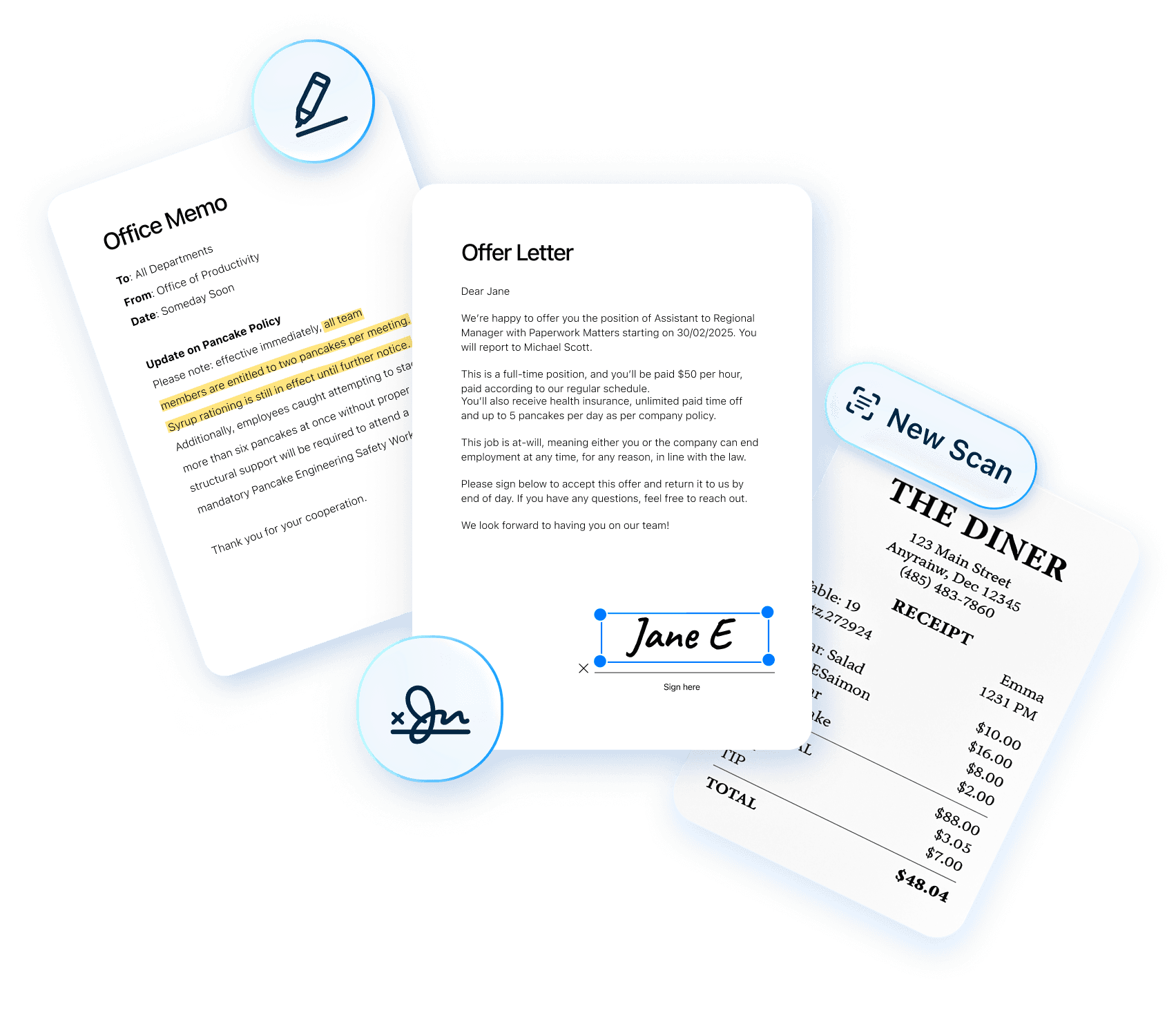
Built for speed, Scanner Air combines scanning, PDF editing, eSign, image-to-PDF conversion, and sharing in one workflow.
How to Scan and manage documents in minutes.
Download and open Scanner Air
Scan your document
Edit, sign, or extract text
Save, convert, and share