
Manage PDFs anytime, anywhere.
Created for real world use, Hello AI helps you ask questions, generate content, and solve problems with a responsive AI chatbot designed for writing, learning, and everyday use.
Handle documents easily from one clean and intuitive mobile app.
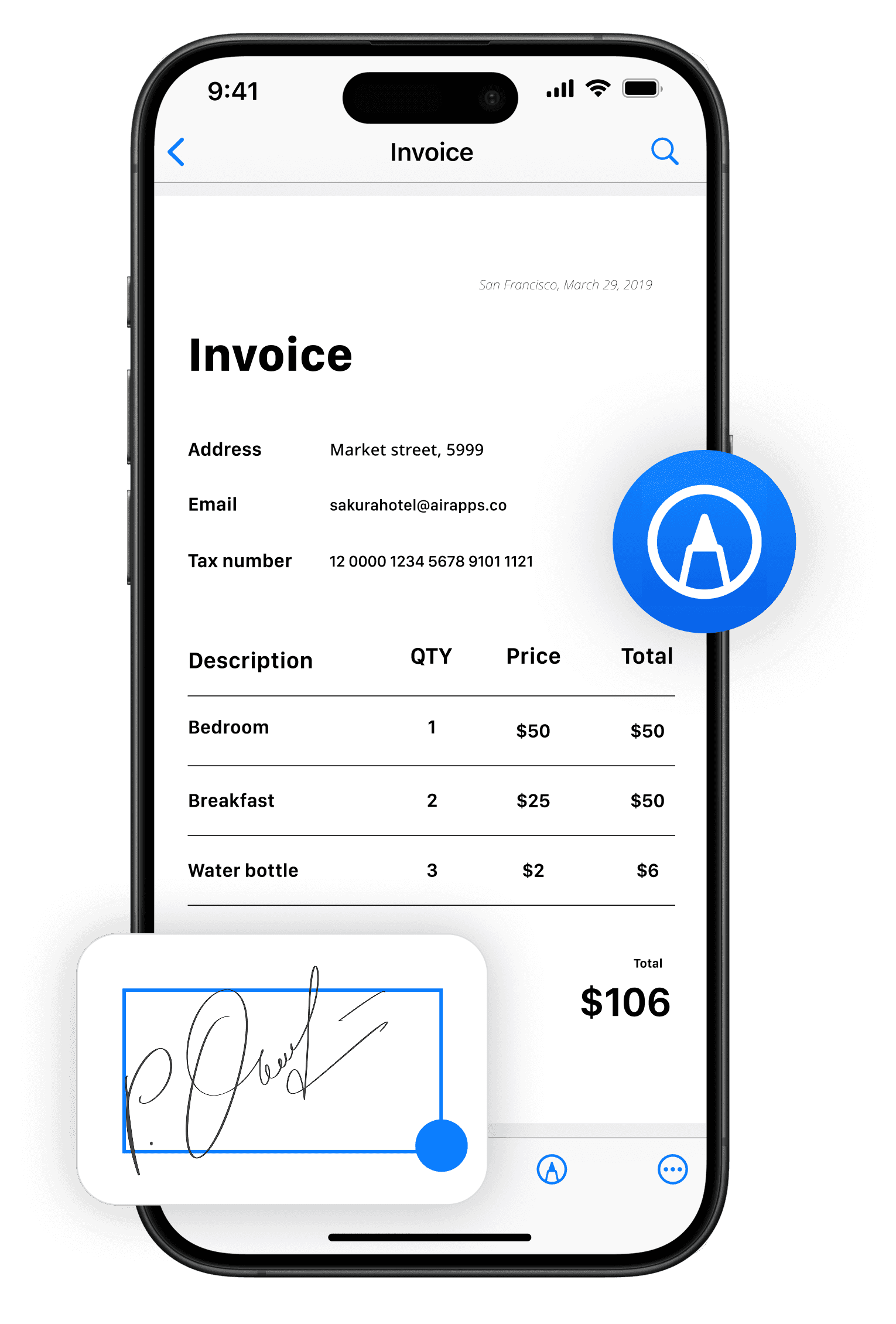
Skip printing and desktop tools by filling forms, signing contracts, and preparing files directly on your phone.
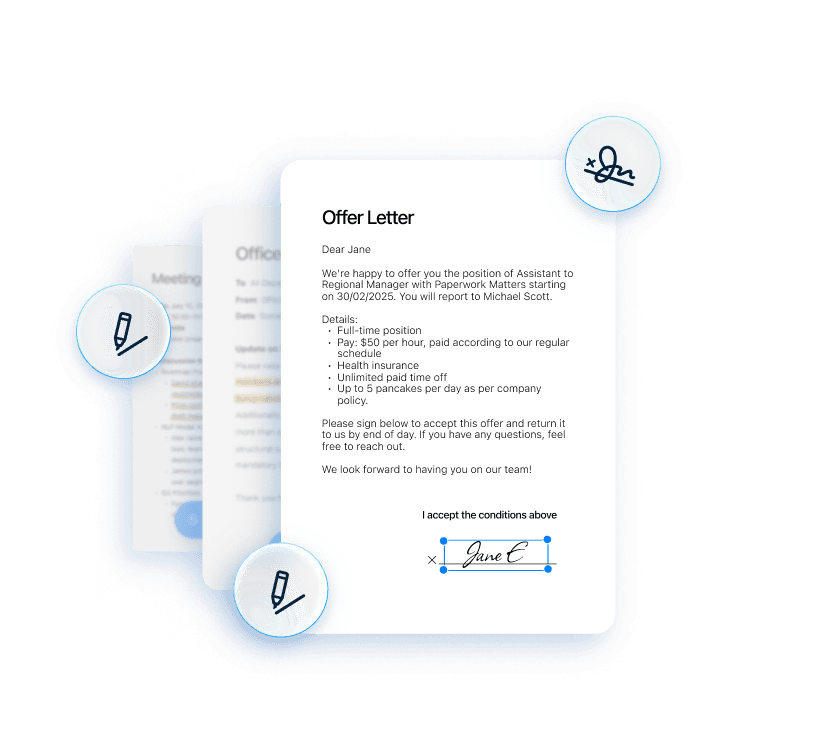
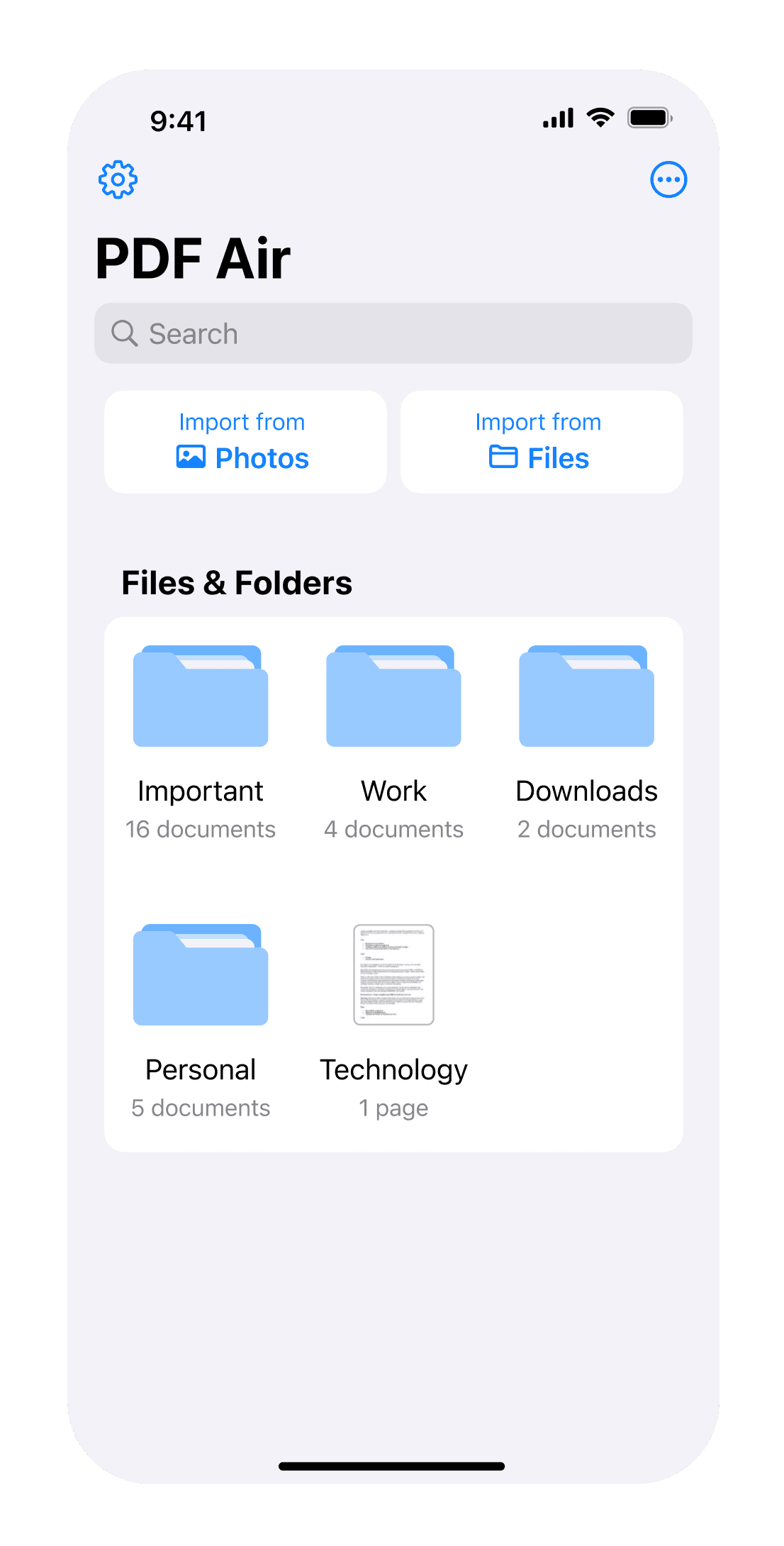
Highlight key details, organize files, and share documents instantly via email or cloud services like Google Drive or Dropbox.
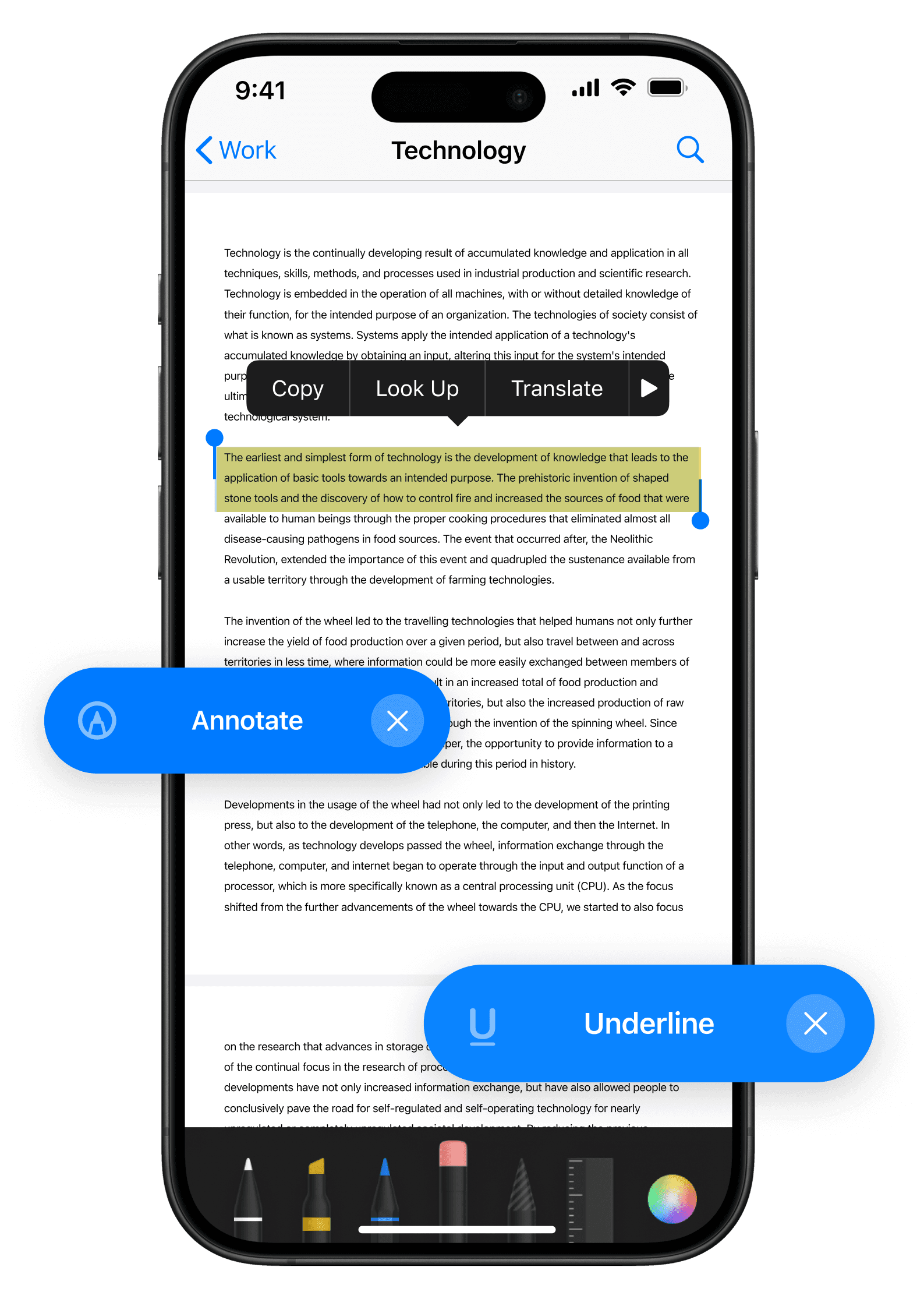
Manage PDFs anytime, anywhere.
PDF Air is a simple yet powerful PDF editor, converter, and reader for iPhone and iPad that lets you open files, edit text, fill forms, sign documents, and convert images to PDF.
Handle documents easily from one clean and intuitive mobile app.
Skip printing and desktop tools by filling forms, signing contracts, and preparing files directly on your phone.
Highlight key details, organize files, and share documents instantly via email or cloud services like Google Drive or Dropbox.
Manage PDFs anytime, anywhere.
PDF Air is a simple yet powerful PDF editor, converter, and reader for iPhone and iPad that lets you open files, edit text, fill forms, sign documents, and convert images to PDF.
Handle documents easily from one clean and intuitive mobile app.
Skip printing and desktop tools by filling forms, signing contracts, and preparing files directly on your phone.
Highlight key details, organize files, and share documents instantly via email or cloud services like Google Drive or Dropbox.
Powerful scanning and PDF tools in one app.

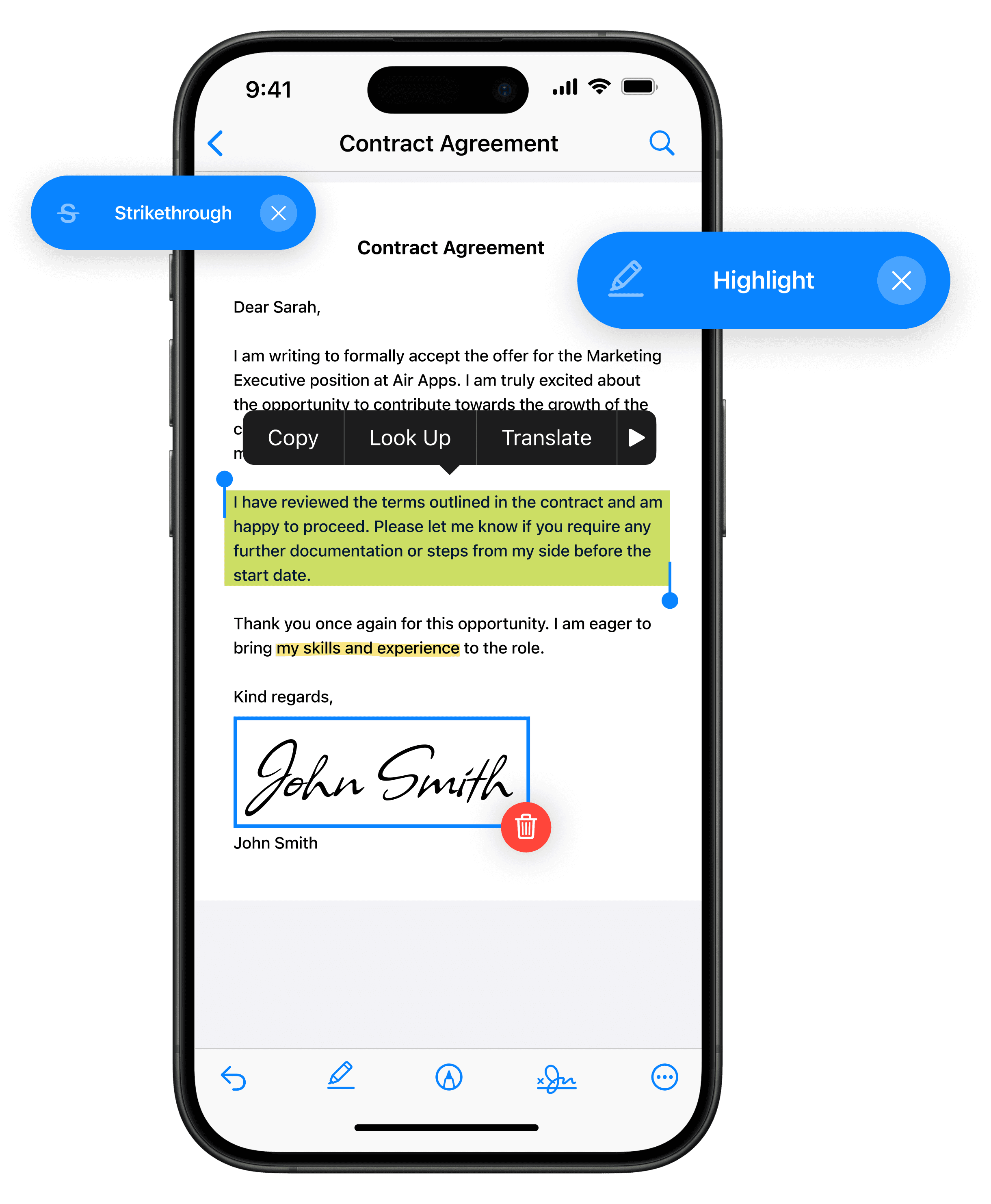
Edit PDF files
Complete digital forms easily and add your electronic signature in seconds. Your saved signature can be reused whenever you need to sign a document.
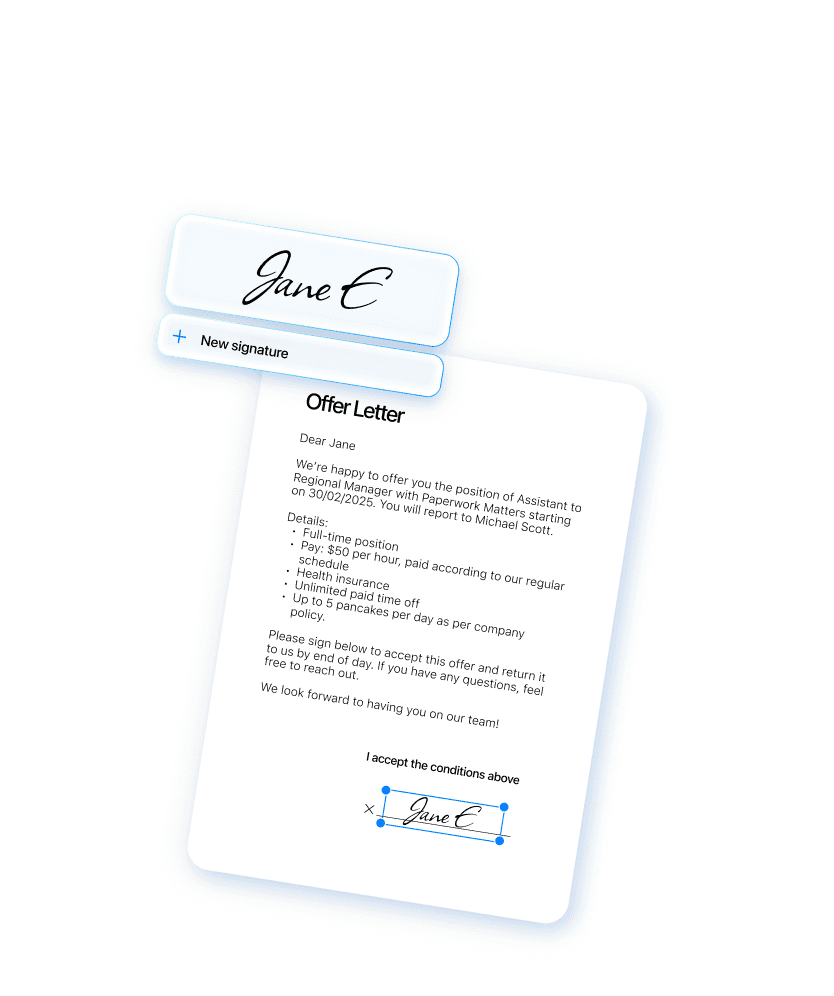
Sign PDF Documents
Add your electronic signature to PDF files in seconds and reuse it whenever needed. Sign contracts, forms, and documents securely from your device anytime.
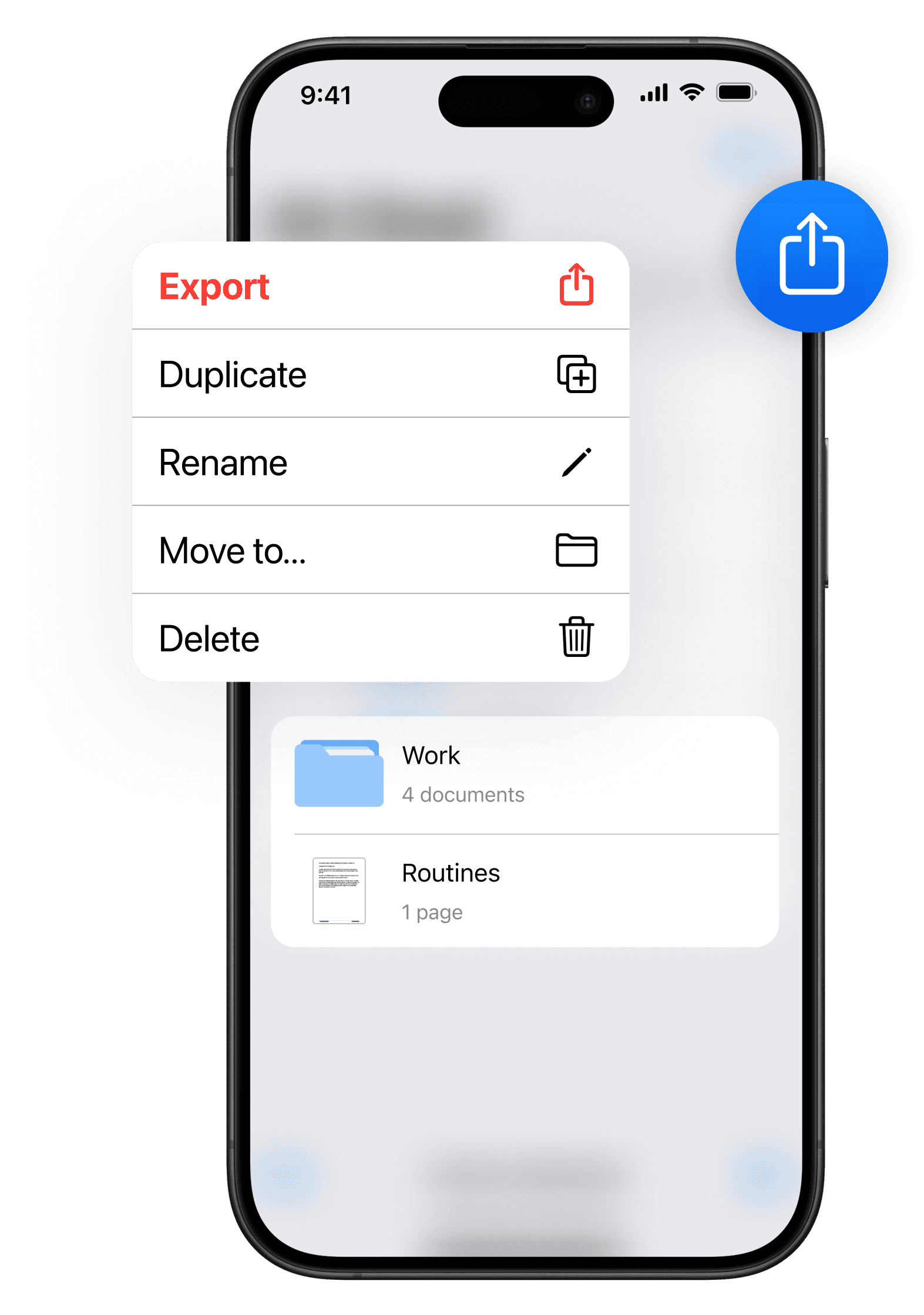
Share and export documents
Send documents instantly using email or export them to services such as Google Drive, Dropbox, Slack, or WhatsApp.
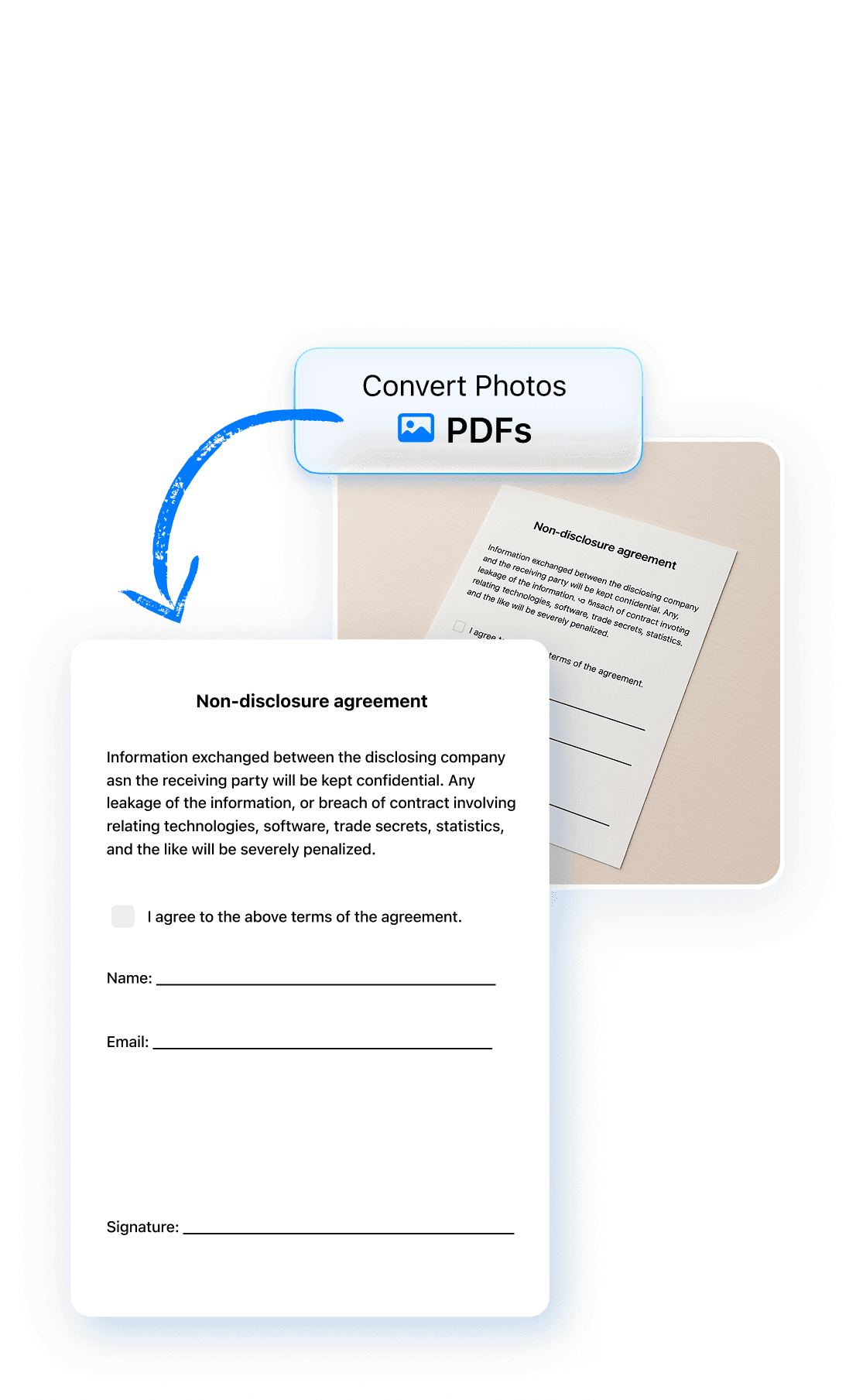
Convert images to PDF
Use the built-in image to PDF converter to turn photos, screenshots, or scanned pages into a clean PDF document. Convert JPG images or combine multiple photos into a single file.
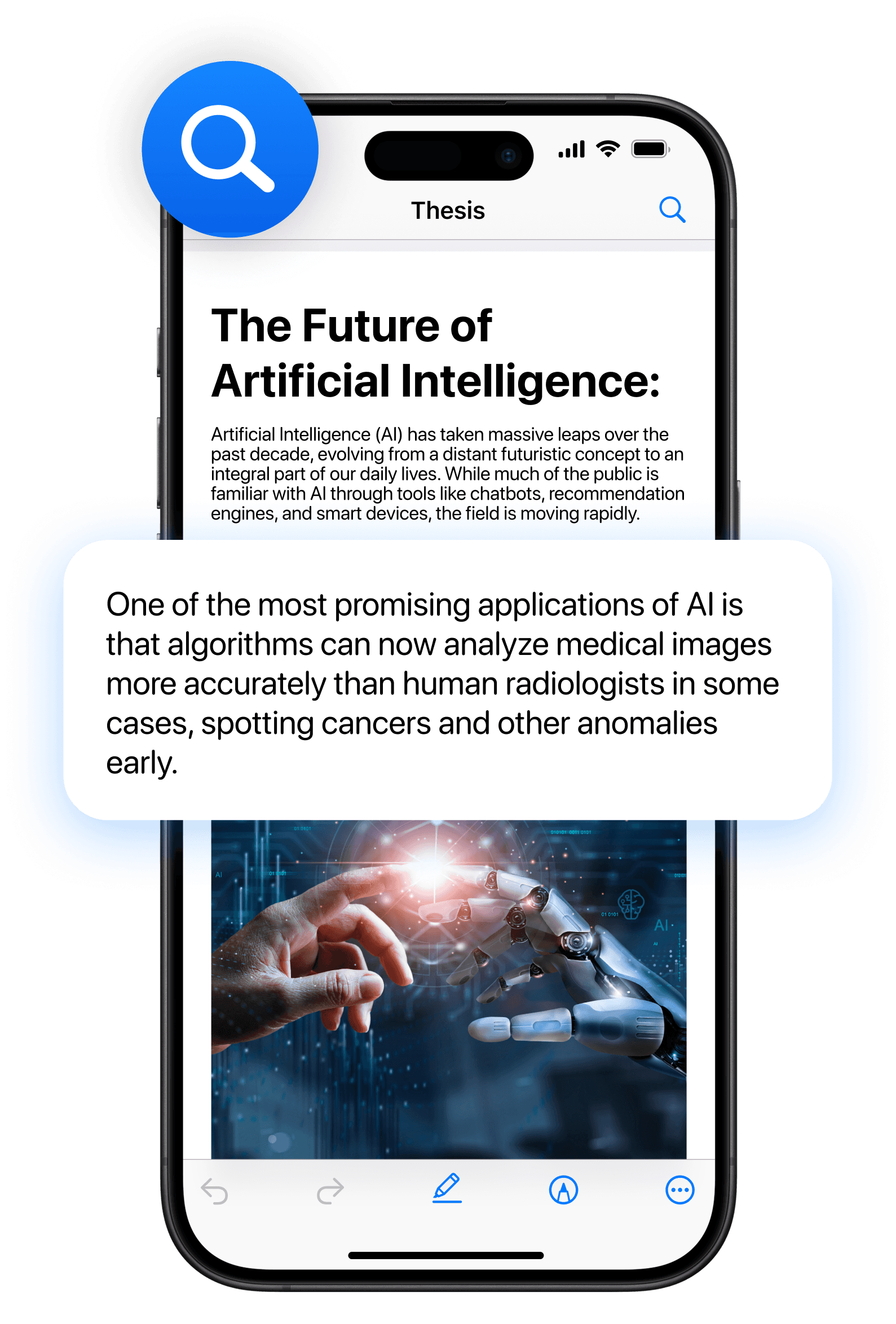
PDF reader and document manager
Open and read PDF documents with a fast built-in viewer. Organize files in one place so your documents are easy to find and manage.
Powerful scanning and PDF tools in one app.
Edit PDF files
Complete digital forms easily and add your electronic signature in seconds. Your saved signature can be reused whenever you need to sign a document.
Sign PDF Documents
Add your electronic signature to PDF files in seconds and reuse it whenever needed. Sign contracts, forms, and documents securely from your device anytime.
Share and export documents
Send documents instantly using email or export them to services such as Google Drive, Dropbox, Slack, or WhatsApp.
Convert images to PDF
Use the built-in image to PDF converter to turn photos, screenshots, or scanned pages into a clean PDF document. Convert JPG images or combine multiple photos into a single file.
PDF reader and document manager
Open and read PDF documents with a fast built-in viewer. Organize files in one place so your documents are easy to find and manage.
Powerful scanning and PDF tools in one app.
Edit PDF files
Make quick updates to your documents directly from your device. Add text, remove unwanted content, and highlight important sections without needing a computer.
Sign PDF Documents
Add your electronic signature to PDF files in seconds and reuse it whenever needed. Sign contracts, forms, and documents securely from your device anytime.
Share and export documents
Send documents instantly using email or export them to services such as Google Drive, Dropbox, Slack, or WhatsApp.
Convert images to PDF
Use the built-in image to PDF converter to turn photos, screenshots, or scanned pages into a clean PDF document. Convert JPG images or combine multiple photos into a single file.
PDF reader and document manager
Open and read PDF documents with a fast built-in viewer. Organize files in one place so your documents are easy to find and manage.
Powerful scanning and PDF tools in one app.
Edit PDF files
Make quick updates to your documents directly from your device. Add text, remove unwanted content, and highlight important sections without needing a computer.
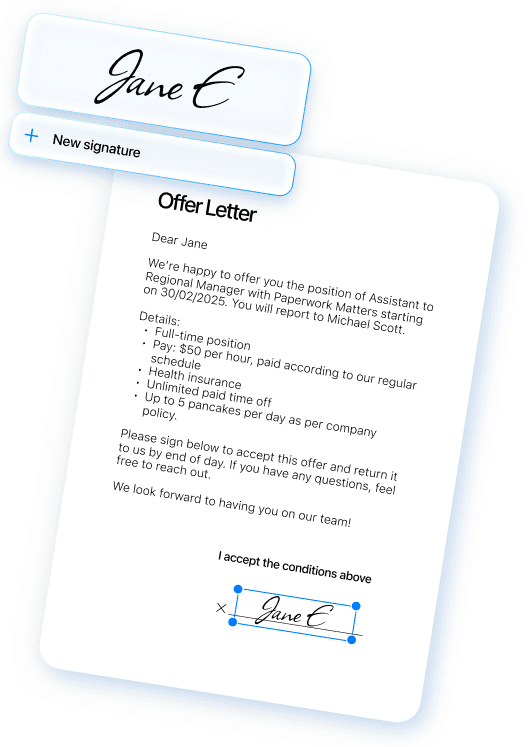
Sign PDF Documents
Add your electronic signature to PDF files in seconds and reuse it whenever needed. Sign contracts, forms, and documents securely from your device anytime.
Share and export documents
Send documents instantly using email or export them to services such as Google Drive, Dropbox, Slack, or WhatsApp.
Convert images to PDF
Use the built-in image to PDF converter to turn photos, screenshots, or scanned pages into a clean PDF document. Convert JPG images or combine multiple photos into a single file.
PDF reader and document manager
Open and read PDF documents with a fast built-in viewer. Organize files in one place so your documents are easy to find and manage.
How to manage PDFs with PDF Air.
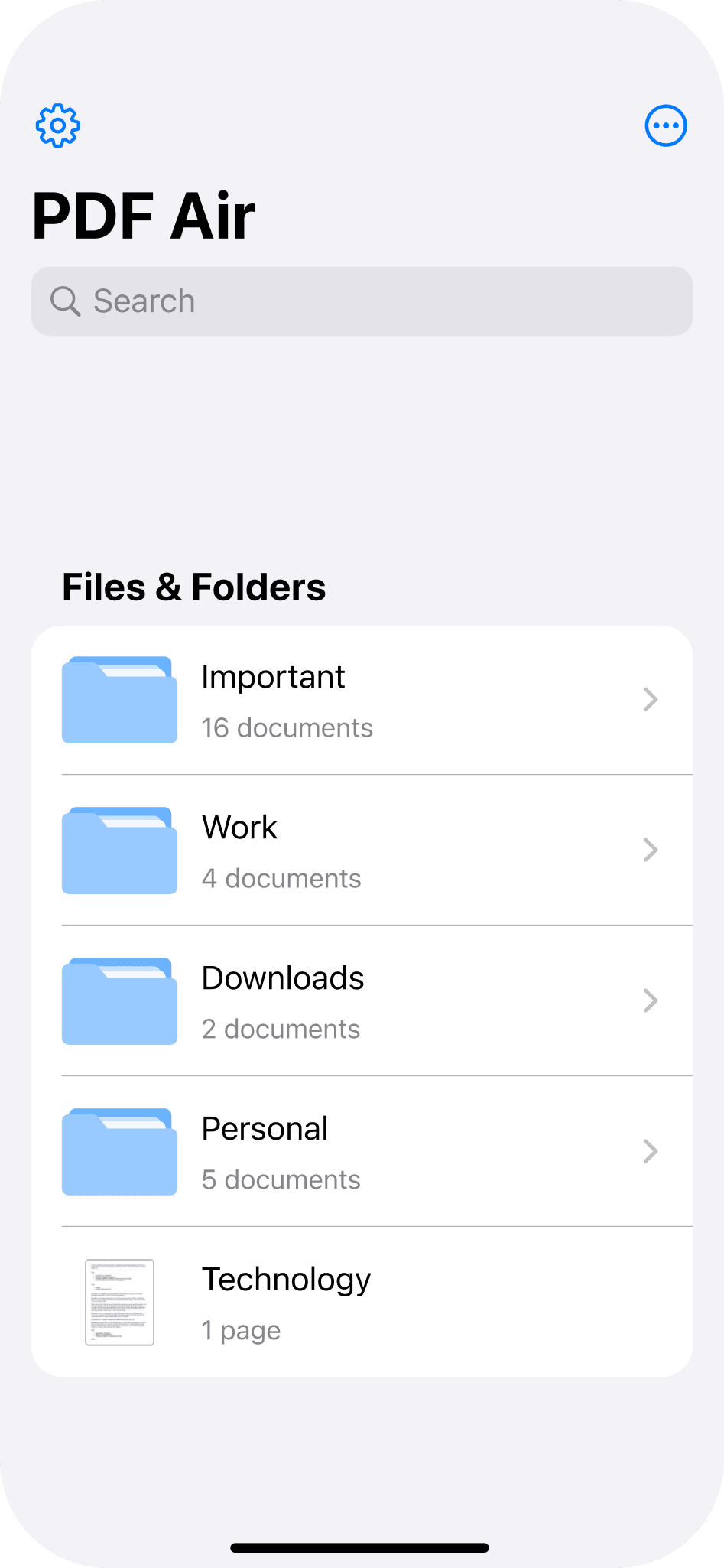
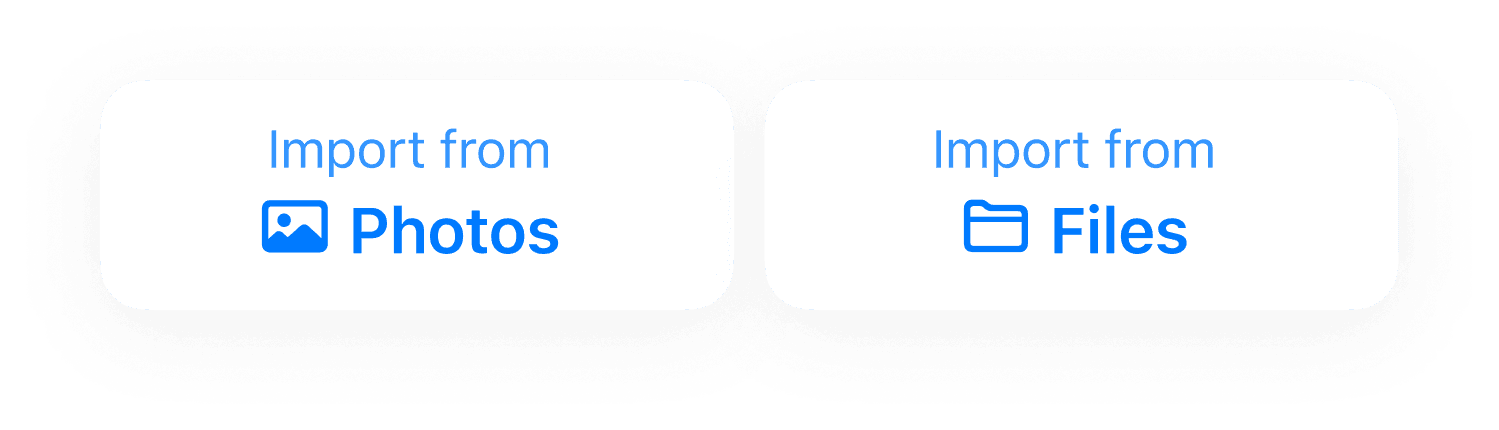
Open your document. Import a PDF from your device, email, or cloud storage. You can also start by converting photos or scans into a PDF.
Edit or complete the file
Sign or convert
Share your file

How to manage PDFs with PDF Air.
Open your document. Import a PDF from your device, email, or cloud storage. You can also start by converting photos or scans into a PDF.
Edit or complete the file
Sign or convert
Share your file
How to manage PDFs with PDF Air.
Open your document
Edit or complete the file
Sign or convert
Share your file
How to manage PDFs with PDF Air.
Open your document
Edit or complete the file
Sign or convert
Share your file
Made for everyday PDF tasks.
Sign contracts and lease agreements in seconds

Scan receipts and paper into professional PDFs

Fill out school or medical forms without printing

Merge multiple documents into one tidy file

Edit text and fix typos on the fly

Redact private info before you hit send

Mark up blueprints and decks for quick review

Keep digital copies of your ID and Passport

Made for work, school, and everyday life.
Sign contracts and lease agreements in seconds
Scan receipts and paper into professional PDFs
Fill out school or medical forms without printing
Merge multiple documents into one tidy file
Edit text and fix typos on the fly
Redact private info before you hit send
Mark up blueprints and decks for quick review
Keep digital copies of your ID and Passport
Made for everyday PDF tasks.
Sign contracts and lease agreements in seconds
Stop hunting for a printer. Open any contract on your phone, trace your signature with your finger, and email it back instantly from wherever you are.
Scan receipts and paper into professional PDFs
Snap a photo of your travel receipts or handwritten notes to create a clean, organized PDF. It’s the easiest way to digitize your paperwork on the go.
Fill out school or medical forms without printing
Skip the "print-fill-scan" loop. Type directly onto any PDF form or application from your phone and submit it in seconds without ever using paper.
Merge multiple documents into one tidy file
Stop sending five separate attachments. Combine your ID, bank statements, and applications into one professional PDF that’s ready for any office.
Edit text and fix typos on the fly
Found a mistake in your report right before a meeting? Open the PDF to change text, update dates, or fix typos directly on the file from your phone.
Redact private info before you hit send
Sharing a bank statement but want to hide your account number? Use the editor to black out sensitive details so your private data stays protected.
Mark up blueprints and decks for quick review
Highlight key details or add notes to a presentation while you’re on the move. It’s the best way to stay productive and give feedback without a laptop.
Keep digital copies of your ID and Passport
Scan your ID or travel docs to keep a secure PDF copy on your phone. It’s perfect for hotel check-ins or quick identity verification while traveling.
Made for everyday PDF tasks.
Sign contracts and lease agreements in seconds
Stop hunting for a printer. Open any contract on your phone, trace your signature with your finger, and email it back instantly from wherever you are.
Scan receipts and paper into professional PDFs
Snap a photo of your travel receipts or handwritten notes to create a clean, organized PDF. It’s the easiest way to digitize your paperwork on the go.
Fill out school or medical forms without printing
Skip the "print-fill-scan" loop. Type directly onto any PDF form or application from your phone and submit it in seconds without ever using paper.
Merge multiple documents into one tidy file
Stop sending five separate attachments. Combine your ID, bank statements, and applications into one professional PDF that’s ready for any office.
Edit text and fix typos on the fly
Found a mistake in your report right before a meeting? Open the PDF to change text, update dates, or fix typos directly on the file from your phone.
Redact private info before you hit send
Sharing a bank statement but want to hide your account number? Use the editor to black out sensitive details so your private data stays protected.
Mark up blueprints and decks for quick review
Highlight key details or add notes to a presentation while you’re on the move. It’s the best way to stay productive and give feedback without a laptop.
Keep digital copies of your ID and Passport
Scan your ID or travel docs to keep a secure PDF copy on your phone. It’s perfect for hotel check-ins or quick identity verification while traveling.
A better way to handle PDFs.
Built for document workflows
PDF editor for iPhone and iPad
Fast, secure document signing
Convert images and JPG to PDF
Read and manage files in one place
Clean and intuitive user interface
A better way to handle PDFs.
Built for document workflows
PDF editor for iPhone and iPad
Fast, secure document signing
Convert images and JPG to PDF
Built for document workflows
Clean and intuitive user interface
A better way to handle PDFs.
Built for document workflows
PDF editor for iPhone and iPad
Fast, secure document signing
Convert images and JPG to PDF
Read and manage files in one place
Clean and intuitive user interface
A better way to handle PDFs.
Built for document workflows
Fast, secure document signing
Read and manage files in one place
PDF editor for iPhone and iPad
Convert images and JPG to PDF
Clean and intuitive user interface
Flexible pricing & plans.
Air Apps One
For individuals who want powerful tools for everyday productivity
$19.99
/Month
What's included
38+ integrated apps
Smart AI assistance
Built for productivity
Cost-effective plan
Cross-device sync
Air Apps Pro
For individuals who need advanced power, speed, and AI capabilities
$199.99
/Month
What's included
Advanced AI models
Higher usage limits
Expanded storage space
Faster performance
Premium app access
Flexible pricing & plans.
Air Apps One
For individuals who want powerful tools for everyday productivity
$19.99
/Month
What's included
38+ integrated apps
Smart AI assistance
Built for productivity
Cost-effective plan
Cross-device sync
Air Apps Pro
For individuals who need advanced power, speed, and AI capabilities
$199.99
/Month
What's included
Advanced AI models
Higher usage limits
Expanded storage space
Faster performance
Premium app access
Flexible pricing & plans.
Air Apps One
For individuals who want powerful tools for everyday productivity
$19.99
/Month
38+ integrated apps
Smart AI assistance
Built for productivity
Cost-effective plan
Cross-device sync
What's included
Air Apps Pro
For individuals who need advanced power, speed, and AI capabilities
$199.99
/Month
Advanced AI models
Higher usage limits
Expanded storage space
Faster performance
Premium app access
What's included
Flexible pricing & plans.
Air Apps One
For individuals who want powerful tools for everyday productivity
$19.99
/Month
38+ integrated apps
Smart AI assistance
Built for productivity
Cost-effective plan
Cross-device sync
What's included
Air Apps Pro
For individuals who need advanced power, speed, and AI capabilities
$199.99
/Month
Advanced AI models
Higher usage limits
Expanded storage space
Faster performance
Premium app access
What's included
Frequently asked questions.
How can I edit a PDF on iPhone?
You can edit a PDF on iPhone using a PDF editor app that supports text editing and document tools. PDF Air allows you to add text, highlight sections, and update content directly within the document.
How do I sign a PDF electronically?
How do I convert an image to PDF?
Can I fill out PDF forms on my phone?
How do I convert JPG to PDF on iPhone?
What is the easiest way to sign documents on iPhone?
Can I convert photos into a PDF document?
Is PDF Air also a PDF reader?
Frequently asked questions.
How can I edit a PDF on iPhone?
You can edit a PDF on iPhone using a PDF editor app that supports text editing and document tools. PDF Air allows you to add text, highlight sections, and update content directly within the document.
How do I sign a PDF electronically?
How do I convert an image to PDF?
Can I fill out PDF forms on my phone?
How do I convert JPG to PDF on iPhone?
What is the easiest way to sign documents on iPhone?
Can I convert photos into a PDF document?
Is PDF Air also a PDF reader?
Frequently asked questions.
How can I edit a PDF on iPhone?
You can edit a PDF on iPhone using a PDF editor app that supports text editing and document tools. PDF Air allows you to add text, highlight sections, and update content directly within the document.
How do I sign a PDF electronically?
How do I convert an image to PDF?
Can I fill out PDF forms on my phone?
How do I convert JPG to PDF on iPhone?
What is the easiest way to sign documents on iPhone?
Can I convert photos into a PDF document?
Is PDF Air also a PDF reader?
Frequently asked questions.
How can I edit a PDF on iPhone?
You can edit a PDF on iPhone using a PDF editor app that supports text editing and document tools. PDF Air allows you to add text, highlight sections, and update content directly within the document.
How do I sign a PDF electronically?
How do I convert an image to PDF?
Can I fill out PDF forms on my phone?
How do I convert JPG to PDF on iPhone?
What is the easiest way to sign documents on iPhone?
Can I convert photos into a PDF document?
Is PDF Air also a PDF reader?
More from Air Apps.







More from Air Apps.
More from Air Apps.




Air Apps is trusted by millions.

114M+
Downloads
4.7
Average Rating
2.5M+
Ratings & Reviews
Start free today.
Air Apps is trusted by millions.
114M+
Downloads
4.7
Average Rating
2.5M+
Ratings & Reviews
Start free today.
Air Apps is trusted by millions.
114M+
Downloads
4.7
Average Rating
2.5M+
Ratings & Reviews
Start free today.
Air Apps is trusted by millions.
114M+
Downloads
4.7
Average Rating
2.5M+
Ratings & Reviews
Start free today.
Manage PDFs anytime, anywhere.
PDF Air is a simple yet powerful PDF editor, converter, and reader for iPhone and iPad that lets you open files, edit text, fill forms, sign documents, and convert images to PDF.
Handle documents easily from one clean and intuitive mobile app.
Skip printing and desktop tools by filling forms, signing contracts, and preparing files directly on your phone.
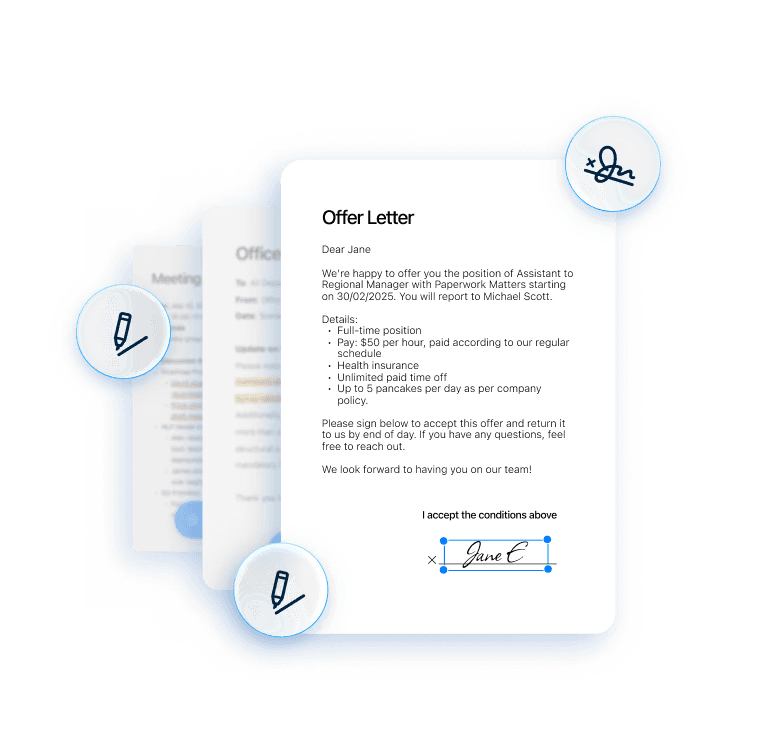
Highlight key details, organize files, and share documents instantly via email or cloud services like Google Drive or Dropbox.