QR Codes for healthcare: Patient check-in, forms, and more
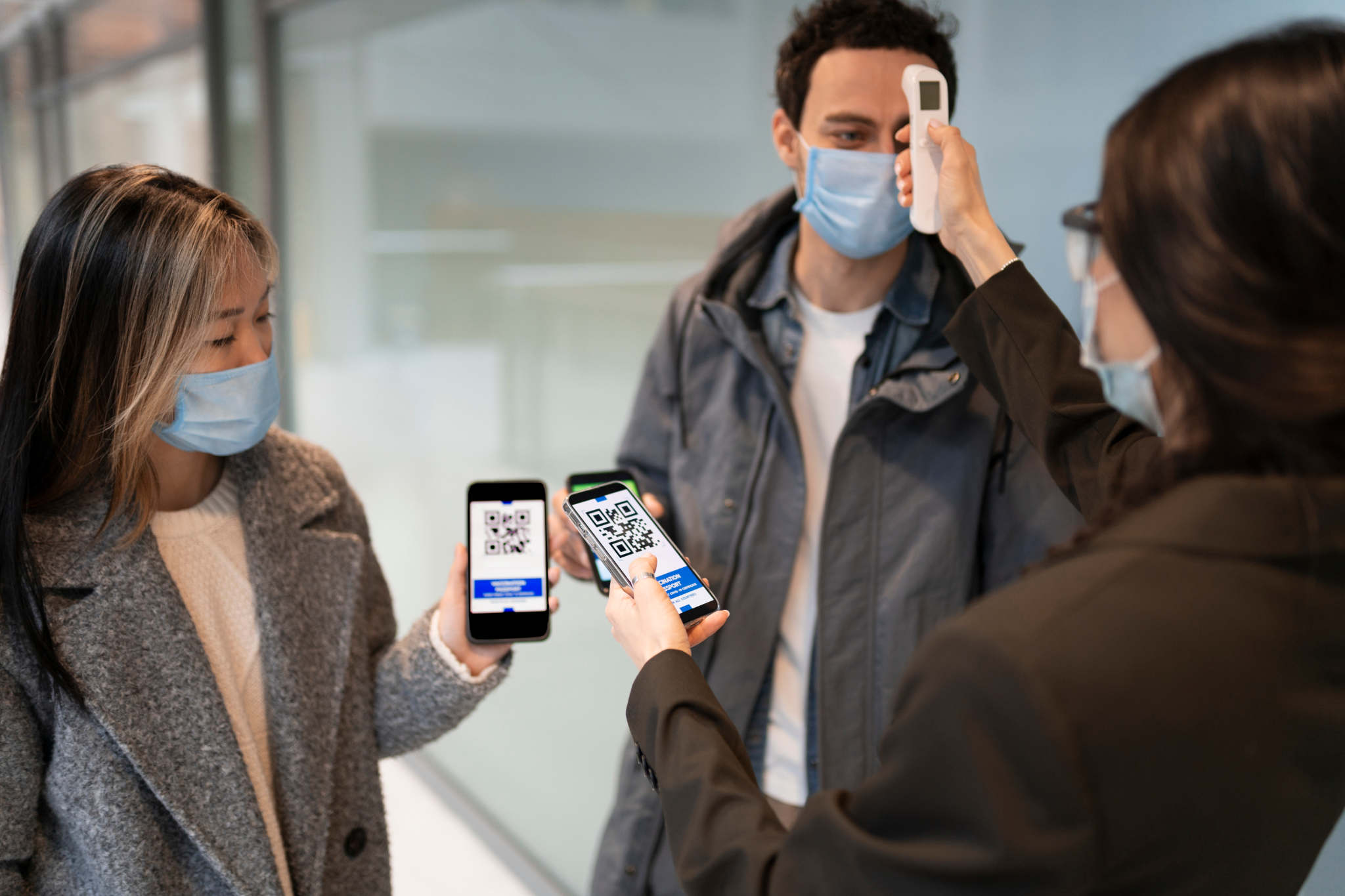
The average patient spends 20 minutes filling out paper forms before they see a doctor. A QR code linked to a digital intake form cuts that to under five minutes. The patient completes it on their own phone, the data goes directly into the system, and the front desk handles zero transcription. That single change is why over 72% of healthcare organizations are using or actively planning QR codes across their operations in 2026 (Supercode, 2026).
This guide covers every practical QR code application in healthcare settings, from check-in and patient forms to medication tracking and wayfinding, with specific guidance on what requires HIPAA compliance and what does not.
Why healthcare is moving fast on QR Codes
Paper-based patient intake is slow, error-prone, and staff-intensive. Handwritten forms get transcribed incorrectly. Clipboards sit in waiting rooms touching dozens of hands. Front desk staff spend time re-entering data that patients already provided by phone or online.
QR codes solve a specific cluster of these problems. They move data entry to the patient's own device, reduce physical touchpoints, and cut the administrative gap between arrival and being seen. Clinics that implement QR-based check-in report a 30 to 40% reduction in front-desk staffing requirements because routine arrival tasks become self-serve (Visu Network, 2026).
That does not mean QR codes fix everything or suit every healthcare context. A geriatric practice where most patients are over 80 has different needs than an urgent care clinic serving working adults. The use cases below are worth evaluating against your specific patient population before rolling anything out.
Patient check-in: The highest-impact starting point
Contactless patient check-in is the most widely adopted QR code use case in healthcare, and it is the right place to start if you are implementing QR codes for the first time.
The setup is straightforward. A QR code placed at the entrance, in the parking structure, or sent via appointment reminder links to a mobile check-in form. The patient scans it, confirms their arrival, updates any changed information, and the front desk receives a real-time alert. No queue, no clipboard, no face-to-face intake for routine information.
Where to place check-in QR codes:
On appointment reminder SMS or email (patient scans before they arrive)
At the clinic entrance or lobby kiosk
On parking structure signage so patients can check in while walking in
On the front desk counter as a secondary option for patients who missed the earlier prompts
What the QR code check-in flow typically covers:
Arrival confirmation
Insurance verification
Demographics update (address, emergency contact)
Consent form signature
Co-pay collection
The critical distinction here: if your check-in form collects or transmits protected health information (PHI), the platform behind that QR code must be HIPAA-compliant. The QR code itself does not store patient data. It only links to a URL. The compliance requirement sits with the form platform and the server handling the data, not the QR code generator.
Digital intake forms: Cutting the clipboard entirely
Patient intake forms are where QR codes deliver the clearest measurable return in a clinical setting. Paper forms create four separate problems: they take time to complete, staff must transcribe them, handwriting gets misread, and forms get lost or misfiled. A QR-linked digital form eliminates all four.
The practical setup: generate a URL QR code pointing to your digital intake form. Use a dynamic QR code so you can update the form destination without reprinting. Display the code in your waiting room, on appointment cards, and in your reminder communications.
Specific form types that work well as QR-linked digital forms:
New patient intake (demographics, medical history, current medications)
Consent and authorisation forms
Pre-procedure questionnaires
Post-visit patient satisfaction surveys
Insurance and billing update forms
Telehealth consent forms
For non-PHI forms like patient satisfaction surveys or general contact information, any reputable QR code generator and form platform combination works. For forms collecting PHI, the form platform needs HIPAA compliance and a Business Associate Agreement (BAA). The QR code generator itself is not the compliance variable.
Dynamic QR codes matter here for a specific reason: intake forms get updated. Questions change, consent language gets revised, new fields get added. A dynamic code lets you swap the destination URL without regenerating and reprinting every code in your facility. This is covered in depth in the static vs dynamic QR code guide if you are deciding which type to generate.
Medication information and prescription tracking
QR codes on medication packaging and prescription labels are one of the fastest-growing applications in clinical pharmacy. The driver is partly regulatory: the FDA's Drug Supply Chain Security Act (DSCSA) mandates end-to-end serialized drug traceability, and QR codes are the primary format being adopted across pharmaceutical supply chains.
For clinic and pharmacy-level use, the applications are more immediate:
Dosage instructions: A QR code on a prescription label links to full dosage guidance in the patient's language, reducing misuse from unclear handwritten instructions
Drug interaction information: Patients scan to access a complete interaction checker rather than reading small-print inserts
Refill ordering: The code links directly to the pharmacy's refill portal, reducing phone volume
Medication authentication: QR codes on packaging verify that medication is genuine, which matters particularly for specialty and high-value drugs
A 450-bed hospital system reported a 73% reduction in patient identification errors after implementing QR-coded patient wristbands linked to medication administration records (Supercode, 2026). That specific application sits within clinical workflow systems rather than general QR tools, but it illustrates the safety case for QR codes beyond just convenience.
Wayfinding: The underrated use case
Large hospitals and medical campuses are genuinely difficult to navigate. Patients miss appointments because they cannot find the right building or floor. Staff time gets spent giving directions. QR codes on signage solve this in a way that static maps cannot.
A wayfinding QR code placed at the entrance, in the lift lobby, or at any decision point links to an interactive map or written directions for a specific department. Scan once, follow your phone. No printed map to lose, no asking a stranger.
Effective wayfinding QR placement points:
Hospital entrance and car park exits
Lift lobbies on each floor
Corridor decision points (junctions where patients must choose a direction)
Appointment reminder cards (pre-loaded with the specific department's location)
This is one of the few healthcare QR code applications where PHI is completely off the table. A map link has no compliance complexity. Use a standard URL QR code, generate it with your brand colours and logo for recognition, and update the destination if your map ever changes.
Patient education and discharge instructions
Discharge instructions are one of the most poorly retained pieces of information in healthcare. Studies consistently show that patients forget 40 to 80% of what they are told during a clinical visit, and printed discharge sheets often get lost before the patient reaches home.
A QR code on the discharge paperwork links to a digital version of the same instructions, a video explanation, or a resource page covering the patient's specific condition. The patient scans it when they need to check something at home, rather than searching the internet and landing on unreliable information.
For patient education in the waiting room, QR codes on posters or wall signage link to condition-specific resources, health screening information, or wellness guides. This replaces heavy brochure racks with a single scannable point that can be updated any time.
Appointment scheduling and reminders
A QR code on any printed material that links directly to your booking system removes the friction between a patient deciding to make an appointment and actually booking one. Print it on:
Business cards handed out at the end of a visit
Referral letters to specialists
Prescription bags and pharmacy receipts
In-clinic posters promoting specific services (flu jabs, health screenings)
The scan opens the booking page directly on the patient's phone. They book before they leave the building or while reading the letter at home. For practices using online scheduling, this is a zero-cost conversion tool.
What requires HIPAA compliance and what does not
This is the question most healthcare QR code guides handle vaguely. Here is a clear breakdown:
Use case | Handles PHI? | HIPAA compliance required? |
|---|---|---|
Patient check-in form | Yes | Yes — on the form platform |
Intake and consent forms | Yes | Yes — on the form platform |
Medication tracking (clinical) | Yes | Yes |
Appointment booking | Depends on system | Likely yes |
Wayfinding map | No | No |
Waiting room education | No | No |
General satisfaction survey | No | No |
Discharge instructions (generic) | No | No |
Discharge instructions (patient-specific) | Yes | Yes |
The QR code generator you use to create the code is not where HIPAA compliance lives. The compliance requirement sits with the platform that handles the data the QR code points to. For any use case where the scan leads to patient-identifiable information, that downstream platform needs HIPAA compliance, a BAA, and appropriate security controls.
For non-PHI use cases (wayfinding, education, general forms, satisfaction surveys), any reliable QR code generator is appropriate.
Practical setup for healthcare QR Codes
Getting QR codes live in a clinical setting does not require a six-month IT project for most use cases. The non-PHI applications can be running within a day.
For generating and managing your QR codes: QR Code Air handles URL QR code generation with custom branding, high-resolution export in PNG, SVG, and PDF formats suitable for clinical print materials, and dynamic code support so destinations can be updated without reprinting. For the scanning side, clinical staff using iPhone can use QR Code Air to scan patient codes, equipment tags, or any QR code in the facility with full scan history and smart action detection.
For the materials themselves: Export QR codes as SVG or PDF for any printed clinical material. These formats stay sharp at any print size, from a small prescription label to a large lobby poster. Minimum size for reliable scanning at arm's length is 1.2 inches square. For lobby or corridor signage scanned from further away, size up proportionally. The guide on QR code sizing and print guidelines covers the specifics.
Testing before deployment: Scan every code in the actual environment where it will be used, including under the lighting conditions of the waiting room, corridor, or patient bay. Scan from a seated position if the code will be at table height. Test on both iPhone and Android. A code that works on your phone in good light may fail for a patient in a dim corridor.
Frequently asked questions
Are QR codes safe to use in a hospital environment?
The QR code format itself carries no data security risk. The risk sits with what the code links to. A QR code pointing to a HIPAA-compliant form on a secure server is safe. A QR code pointing to an unsecured form is not. The generator and the printed code are not the compliance variable; the destination platform is.
Can patients without smartphones use QR code check-in?
No, and this matters. Any QR-based system in healthcare needs a non-QR alternative for patients who do not have a smartphone or are not comfortable using one. QR codes streamline the process for the majority without requiring every patient to use them.
Do QR codes on medication packaging replace the pharmacist consultation?
No. They supplement it. A QR code giving a patient access to clear dosage information in their language reduces misuse, but it does not replace counseling for high-risk medications or complex regimens.
What happens if a QR code in a clinical setting stops working?
With dynamic QR codes, you update the destination URL and the code starts working again immediately without reprinting. With static codes, you need to generate a new code and replace every printed instance. For any use case with physical materials at scale (wristbands, poster runs, prescription pads), dynamic codes are strongly recommended for exactly this reason. More on how to avoid that problem in the types of QR codes guide.
Healthcare QR code adoption is no longer a question of whether it makes sense. The intake time savings, reduction in transcription errors, and patient satisfaction improvements are documented across facility types and sizes. The question is where to start and how to do it correctly.
Start with wayfinding and patient education. Zero compliance complexity, immediate visible value for patients, and low risk if something needs adjusting. Add QR-linked intake forms once you have the right platform in place. Build from there.
QR Code Air generates, exports, and manages QR codes for every non-clinical use case in this article directly from iPhone. Custom branding, dynamic code support, and print-ready export at any resolution. Download free on the App Store.