What OCR technology actually does and why businesses depend on it
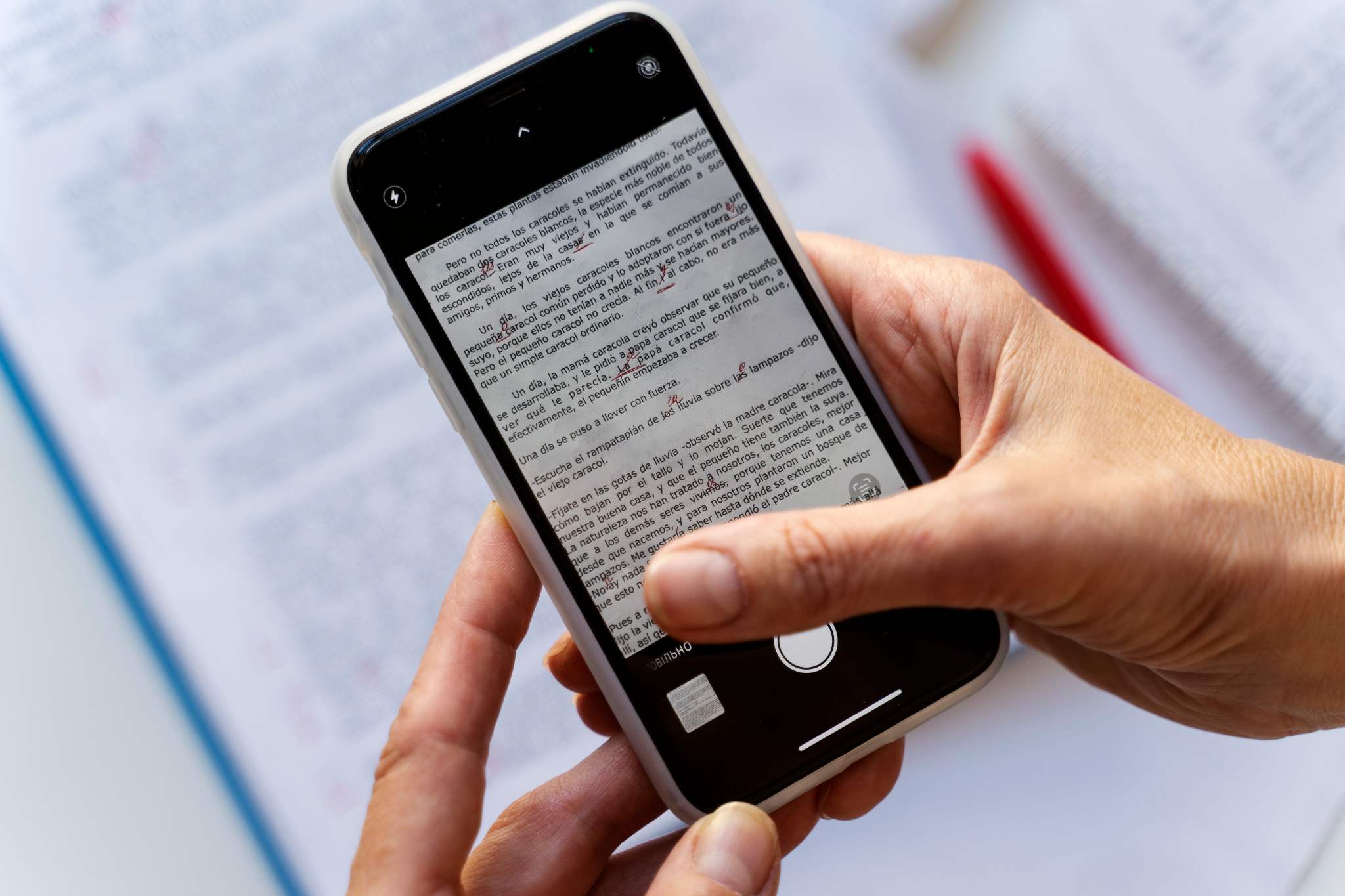
OCR technology (Optical Character Recognition) converts printed, scanned, or handwritten text into machine-readable digital text. Businesses use OCR systems to scan invoices, receipts, contracts, IDs, forms, and paper records so information can be searched, edited, stored, analyzed, and processed automatically.
Instead of manually typing information from physical documents, OCR extracts text from images and converts it into structured digital data. This capability has become a foundational technology for document management, workflow automation, and digital transformation across industries.
What OCR means
OCR definition
OCR (Optical Character Recognition) is a technology that identifies text within images, scanned documents, PDFs, and photographs, then converts that text into editable and searchable digital content.
In simple terms:
A document is scanned or photographed.
OCR software detects text characters.
The system converts those characters into digital text.
The text becomes searchable, editable, and usable by software applications.
OCR in one sentence
OCR technology turns text inside images into text computers can understand and process.
How OCR technology works
Modern OCR systems combine image processing, pattern recognition, machine learning, and text extraction techniques to recognize characters accurately.
Step 1: Image capture
The process begins when a document is:
scanned using a scanner
photographed with a smartphone
uploaded as a PDF
captured through a document management system
The quality of the image directly affects OCR performance.
Step 2: Image preprocessing
Before text recognition starts, the OCR engine improves image quality through:
noise reduction
contrast enhancement
skew correction
brightness adjustments
edge detection
This stage helps eliminate distortions that could reduce accuracy.
Step 3: Character detection
Using image recognition algorithms, the software identifies:
letters
numbers
punctuation marks
symbols
formatting structures
The system separates text from backgrounds, graphics, and other visual elements.
Step 4: Pattern recognition
OCR engines compare detected characters against known patterns. Older OCR systems relied heavily on predefined templates. Modern OCR technology uses:
machine learning
neural networks
deep learning models
language prediction systems
This allows software to recognize text across multiple fonts, layouts, and document formats.
Step 5: Text extraction
The recognized content is converted into machine-readable text. The extracted information can then be:
searched
edited
copied
analyzed
exported to databases
integrated into business software
How modern OCR has improved
Traditional OCR | Modern AI-Powered OCR |
|---|---|
Template-based recognition | Machine learning models |
Limited font support | Recognizes thousands of fonts |
Struggles with low-quality scans | Handles imperfect images |
Basic text extraction | Context-aware recognition |
Limited handwriting support | Improved handwriting analysis |
Where OCR is used today
OCR technology supports document-heavy workflows across nearly every industry.
Healthcare
Healthcare organizations use OCR to digitize:
patient intake forms
insurance documents
prescriptions
medical records
laboratory reports
Benefits include:
faster record retrieval
reduced paperwork
improved patient administration
Accounting and finance
Accounting teams process large volumes of documents every day. OCR automates:
invoice processing
receipt scanning
expense management
accounts payable workflows
tax documentation
This significantly reduces manual data entry.
Education
Schools and universities use OCR to digitize:
student records
research papers
archived documents
printed textbooks
OCR also improves accessibility by converting printed materials into searchable digital content.
Logistics and supply chain
Logistics companies rely on OCR for:
shipping labels
bills of lading
customs documents
delivery receipts
inventory records
OCR speeds up data capture while reducing processing errors.
Legal services
Law firms and legal departments often manage thousands of pages of documentation. OCR helps organize:
contracts
court filings
compliance records
case documentation
legal archives
Searchable documents save substantial research time.
Remote work environments
Remote teams increasingly use mobile OCR applications to scan:
signed agreements
receipts
handwritten notes
forms
project documentation
This supports paperless workflows regardless of location.
OCR vs Manual data entry
Many businesses still rely on manual document processing, but OCR offers major efficiency advantages.
Factor | OCR technology | Manual data entry |
Processing Speed | Seconds | Minutes to hours |
Scalability | High | Limited by staff |
Cost Per Document | Low | Higher labor costs |
Searchability | Instant | Requires indexing |
Data Accessibility | Immediate | Delayed |
Error Risk | Low when optimized | Human errors common |
Workflow Automation | Supported | Not supported |
Large Volume Processing | Excellent | Difficult |
Practical example
A company processing 5,000 invoices per month could spend hundreds of staff hours on manual entry. OCR systems can extract invoice data automatically, allowing employees to focus on verification rather than repetitive typing.
Benefits of OCR technology
Organizations adopt OCR because it improves both efficiency and data accessibility. Key benefits include:
Faster processing
Documents become digitally searchable within seconds.
Reduced administrative work
Teams spend less time entering repetitive information.
Better document organization
OCR makes files searchable by:
names
dates
keywords
account numbers
document types
Improved compliance
Digital records are easier to:
audit
track
secure
archive
Enhanced accessibility
OCR helps convert printed content into formats compatible with:
screen readers
accessibility tools
digital archives
Limitations of OCR technology
Understanding OCR limitations is important for setting realistic expectations.
Image quality matters
Poor scans often reduce recognition accuracy. Common issues include:
blurry photos
shadows
low resolution
poor lighting
damaged documents
Complex layouts
Documents containing:
tables
handwritten notes
unusual formatting
overlapping elements
can be more difficult to process accurately.
Handwriting challenges
Although AI-powered OCR has improved significantly, handwriting remains harder to recognize than printed text. Factors affecting results include:
writing style
pen quality
spacing
document condition
Language variations
Some OCR systems perform better in specific languages than others. Multilingual documents may require advanced OCR solutions.
Verification is still important
Businesses should review extracted data for:
financial records
legal documents
healthcare information
compliance-sensitive materials
OCR improves efficiency but should not eliminate quality control.
Common OCR mistakes businesses make
Based on real-world implementation patterns, organizations often encounter avoidable issues.
Using low-quality scans
Poor image quality creates preventable recognition errors.
Ignoring verification processes
OCR should support human review, especially for critical documents.
Choosing basic OCR for complex workflows
Advanced use cases often require:
AI-powered OCR
intelligent document processing
automated classification
Not standardizing document capture
Consistent scanning practices significantly improve OCR accuracy.
How mobile OCR changed document workflows
Mobile OCR has fundamentally changed how businesses capture and process documents. Instead of waiting to return to an office scanner, employees can now scan documents directly from smartphones.
Mobile OCR enables
instant receipt capture
invoice scanning on the go
field-service documentation
remote contract processing
digital note archiving
Example workflow
A sales representative receives a signed contract during a client meeting. Using a mobile OCR scanner:
The document is photographed.
OCR extracts text instantly.
The file becomes searchable.
The document is uploaded to cloud storage.
Teams access it immediately.
What once required multiple manual steps can now happen within minutes.
Why businesses are moving toward mobile OCR
Traditional Workflow | Mobile OCR Workflow |
Physical scanner required | Smartphone capture |
Office-based processing | Anywhere processing |
Delayed digitization | Instant digitization |
Manual filing | Automated storage |
Limited accessibility | Cloud-based access |
For teams managing receipts, contracts, forms, and paperwork remotely, mobile OCR has become an essential productivity tool.
Solutions such as Scanner Air combine mobile scanning, OCR technology, document organization, and cloud accessibility into a streamlined workflow that reduces administrative overhead and improves document accessibility.
Conclusion
OCR technology has evolved from simple text recognition into a core business automation tool. By converting printed and handwritten information into searchable digital data, OCR helps organizations reduce manual work, improve document accessibility, and streamline workflows across healthcare, finance, education, logistics, legal services, and remote teams.
As mobile devices and AI-powered recognition continue to improve, OCR will play an even larger role in document automation and digital transformation. Businesses that invest in effective OCR workflows today are better positioned to handle growing volumes of information efficiently and accurately.
For teams looking to simplify document capture, organization, and text extraction, modern mobile OCR solutions such as Scanner Air provide a practical way to digitize paperwork and keep information accessible from anywhere.
FAQs
Is OCR accurate?
Modern AI-powered OCR systems commonly achieve accuracy rates above 95% under good scanning conditions. Accuracy depends on image quality, document layout, language, and handwriting complexity.
Can OCR read handwriting?
Yes. Advanced OCR systems use machine learning and handwriting recognition models to interpret handwritten text, although accuracy is generally lower than for printed text.
What is OCR used for?
OCR is used for invoice processing, receipt scanning, document digitization, contract management, healthcare records, logistics paperwork, educational archives, and workflow automation.
Can iPhone scanners use OCR?
Yes. Many iPhone scanning applications include OCR functionality that converts scanned documents and images into searchable and editable text.
What industries benefit most from OCR technology?
Healthcare, finance, accounting, logistics, legal services, education, insurance, government agencies, and remote-work organizations commonly benefit from OCR adoption.
Is OCR the same as AI?
No. OCR is a text recognition technology. Modern OCR often incorporates AI and machine learning models to improve recognition accuracy and document understanding.
Does OCR work with PDFs?
Yes. OCR can extract text from image-based PDFs and convert them into searchable and editable documents.
What affects OCR accuracy?
Factors include image resolution, lighting, document condition, handwriting quality, language support, and OCR software capabilities.