How to translate Japanese menus on iPhone
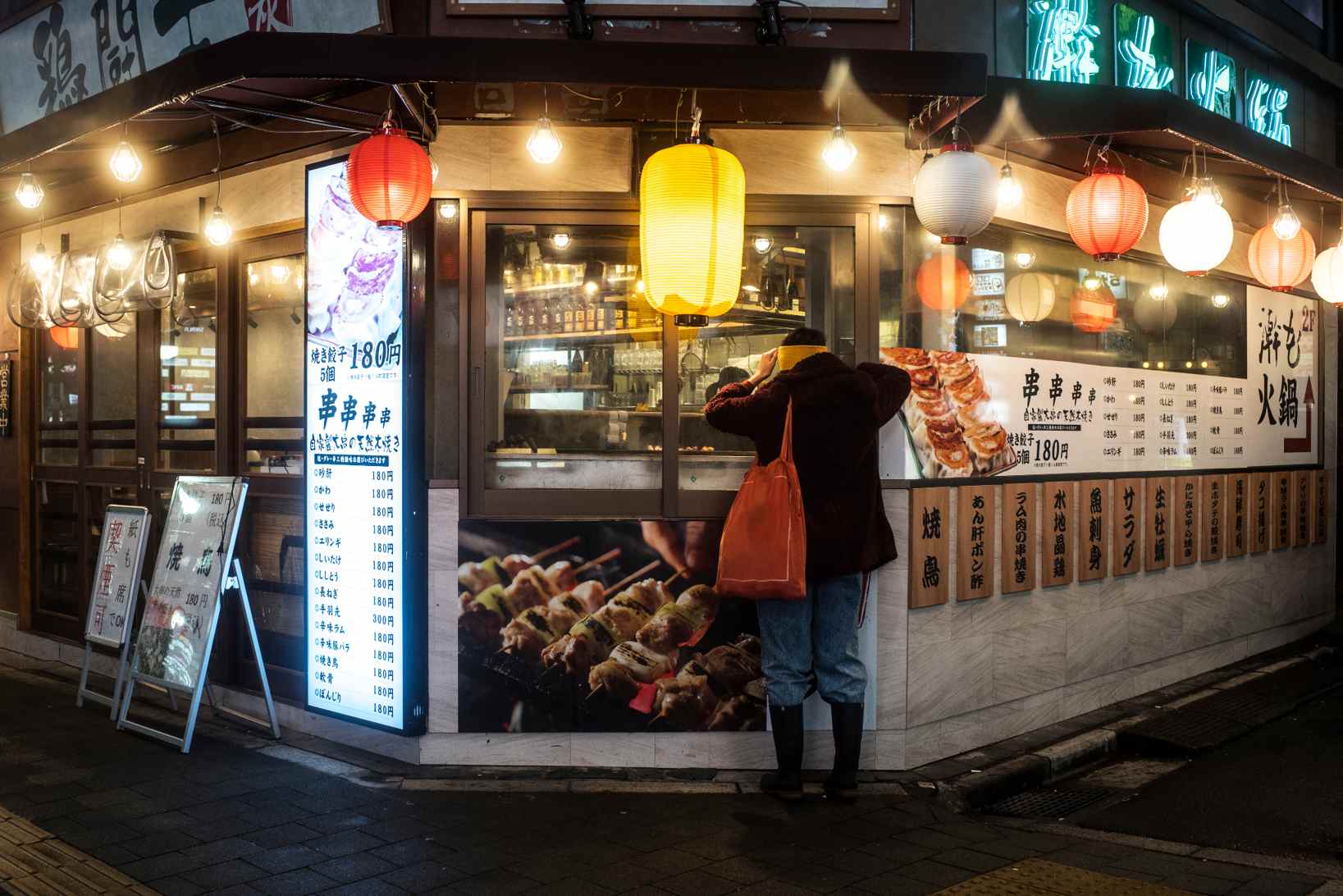
Translating a Japanese menu can feel overwhelming, especially if you do not read kanji or hiragana. Many menus do not include English translations. Some use handwritten text, vertical layouts, or dish names that do not translate directly.
The fastest and most reliable way to understand Japanese menus today is by using your iPhone with camera or image translation. This guide shows exactly how to do it, along with real examples and common mistakes to avoid.
Quick answer: Best way to translate Japanese menus on iPhone
The most effective method is:
Open a translation app with camera support
Point your iPhone at the menu
Scan the text using image translation
Read the translated dish names and descriptions
This works best for printed menus, wall menus, and food boards.
For a deeper breakdown of how image-based translation works, see how to translate text from an image on iPhone.
Why Japanese menus are hard to translate
Japanese menus are not difficult just because of the language. The structure itself creates challenges.
Kanji characters
Many dishes are written in kanji, which do not have direct one-to-one English translations.
Example:
焼き鳥 (Yakitori)
Literal translation: grilled chicken
Actual meaning: skewered grilled chicken, often with different cuts
Dish names are not literal
Some dishes are named based on tradition, not ingredients.
Example:
親子丼 (Oyakodon)
Literal translation: parent and child bowl
Actual meaning: chicken and egg rice bowl
Without context, the literal translation can be confusing.
No descriptions on menus
Many local restaurants only list dish names, not ingredients. This makes it harder to understand:
allergens
meat types
cooking style
Method 1: Use camera translation for instant results
The fastest way to translate a Japanese menu is by pointing your camera at it.
How to do it
Open your translation app
Select camera or image mode
Point your iPhone at the menu
Adjust focus until text is clear
View translated text instantly
This is especially useful in restaurants where you need quick decisions.
Using a structured camera translation feature designed for menus and signs helps because it reads the full visual layout instead of isolated words.
Method 2: Translate a menu from a photo or screenshot
If the menu is digital or you took a picture earlier, you can translate it from your gallery.
Steps
Open the image in Photos
Use text selection or upload it to a translation app
Translate the full image
This works well for:
QR code menus
travel photos
saved restaurant menus
You can also use the same workflow when translating documents, as explained in how to translate a PDF on iPhone.
Real Japanese menu examples (With meaning)
Understanding a few common menu items can help you verify translations.
Example 1
ラーメン (Ramen)
Meaning: noodle soup dish
Common variations:
味噌ラーメン (miso ramen)
醤油ラーメン (soy sauce ramen)
Example 2
とんかつ (Tonkatsu)
Meaning: breaded deep-fried pork cutlet
Example 3
刺身 (Sashimi)
Meaning: raw sliced fish
Example 4
天ぷら (Tempura)
Meaning: lightly battered and fried seafood or vegetables
Example 5
定食 (Teishoku)
Meaning: set meal with rice, soup, and side dishes
Common mistakes when translating Japanese menus
Even with translation tools, errors can happen.
Literal translations can mislead
Dish names often do not reflect ingredients directly.
Ingredients may not be listed
Always double check if you have dietary restrictions.
Similar looking characters
Some kanji look similar but have completely different meanings.
Over-reliance on single-word translation
Translating one word at a time reduces accuracy.
Tips to translate Japanese menus more accurately
Focus on full dish names
Do not translate word by word.
Use camera instead of typing
Typing kanji manually is difficult and error-prone.
Zoom in for clarity
Clear text improves recognition.
Cross-check important items
Especially for allergies or dietary preferences.
Can you translate Japanese menus offline?
Yes, if your translation app supports offline language packs. Before traveling:
Download Japanese language support
Test translation features
Save key phrases
This is especially useful in areas with weak connectivity.
To understand how offline translation works, see can translation apps work without internet.
Best app to translate Japanese menus on iPhone
When choosing a translation app for Japanese menus, look for:
Camera translation
Image recognition
Offline support
Fast processing
Accurate handling of kanji
Translate Now combines these features in one place, making it practical for real-world travel scenarios where speed and clarity matter.
Frequently asked questions
What is the best way to translate a Japanese menu?
Using camera or image translation is the fastest and most accurate method, especially for printed menus and complex characters.
Can I translate Japanese menus without internet?
Yes, if you download offline language packs in advance. Accuracy may vary depending on the content.
Why do Japanese menu translations sound strange?
Many dish names are cultural and do not translate literally. Direct translations often miss context.
Can I translate handwritten Japanese menus?
Yes, but accuracy depends on clarity. Camera-based tools work better when the text is readable.
Final thoughts
Japanese menus are not designed for direct translation, which is why traditional methods often fall short. With camera and image translation on iPhone, you can understand dishes, ingredients, and menu items instantly without guessing.
This turns a confusing experience into a confident one, especially when traveling.
Avoid second guessing your order and translate Japanese menus in real time with tools built for real-world use like Translate Now.